
Best AI Tools for Small Business Marketing
If you want faster campaigns without hiring a full marketing team, start with tools that fix one clear bottleneck: writing, design, scheduling, automation, video, email, or lead follow-up.
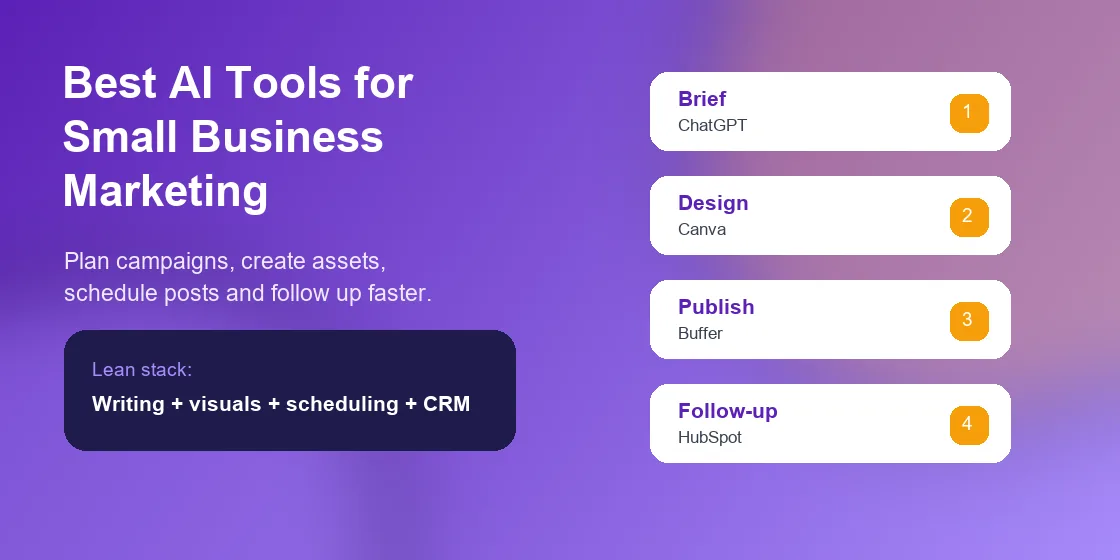
The best AI tools for small business marketing are not always the most famous ones. The right pick depends on where your team loses time: blank-page writing, weak visuals, slow follow-up, scattered social posts, or manual handoffs between apps.
My practical shortlist is simple: use ChatGPT Team for thinking and drafts, Canva for campaign visuals, Buffer for social publishing, Jasper for repeatable copy, HubSpot for CRM-tied marketing, Zapier for handoffs, Descript for short video, and Mailchimp for email.
Quick Picks for Small Business AI Marketing
Here is the short version. If your business has no dedicated marketer, buy fewer tools and make them work together. One writing tool, one design tool, one scheduling tool, and one customer follow-up tool can cover most early needs.
- Best overall starter stack: ChatGPT Team, Canva, Buffer, and Mailchimp.
- Best for service businesses: ChatGPT Team, HubSpot, Zapier, and Descript.
- Best for ecommerce: Canva, Jasper, Mailchimp, and Zapier.
- Best for solo founders: ChatGPT Team, Canva, and Buffer first.
I would avoid building a ten-tool stack on day one. Too many small teams spend more time moving content between apps than improving the campaign itself.
AI Marketing Tools Comparison Table
The table below compares the best AI tools for small business marketing by role. Pricing notes are checked as of June 2026, but vendors change seats, usage limits, and AI credits often.
| Tool | Best Use | Small Business Fit | Pricing Signal as of June 2026 | Watch Out For |
|---|---|---|---|---|
| ChatGPT Team | Campaign strategy, drafts, briefs, customer research | Best starter | Team pricing is seat-based | Needs brand examples or it writes generic copy |
| Canva | Social posts, ads, flyers, simple video assets | Best design | Free and paid plans with AI feature limits | Stock-like visuals can hurt trust |
| Jasper | Repeatable marketing copy and campaign variants | Best for content volume | Paid plans usually start above basic creator pricing | Overkill if you publish only twice a month |
| Buffer | Social scheduling and AI-assisted captions | Best lean scheduler | Channel-based pricing is common | Costs rise when you add many profiles |
| HubSpot Breeze | CRM, email, forms, leads, and content support | Best for sales follow-up | Pricing depends on hub, seats, and contact volume | Advanced workflows can become pricey |
| Zapier | Automating handoffs between marketing apps | Best glue tool | Task volume affects paid plan needs | Broken fields can silently damage workflows |
| Descript | Short video, podcasts, clips, and quick edits | Best video editor | AI features vary by plan and usage | Large exports can feel slow on weak machines |
| Mailchimp | Email campaigns, subject lines, segments, and journeys | Best email starter | List size and feature tier affect cost | Audience cleanup matters before automation |
How I Tested AI Marketing Tools for Small Business
I evaluated these tools against a common local business workflow: launch a weekend offer, create social assets, write an email, schedule posts, capture leads, and follow up with people who clicked.
The tools that ranked highest reduced handoffs. A good AI marketing tool should help a small team ship a campaign faster, but it should also leave the owner in control of claims, pricing, offers, and brand voice.
One real scenario stood out. When I built a sample service-business campaign, the fastest path was not a single “all-in-one” app. It was a clean chain: ChatGPT brief, Canva visuals, Buffer schedule, Mailchimp email, then Zapier pushing high-intent leads into a CRM.
Common pitfall: do not let AI rewrite your offer without checking the promise. If a tool invents a guarantee, discount, delivery time, or customer result, that is your business risk, not the software’s problem.
Best AI Tools for Small Business Marketing by Use Case
This section breaks down the best AI tools for small business marketing by job. Most small businesses should choose by use case first, then price, then integrations.
ChatGPT Team for Small Business Marketing Strategy
ChatGPT is the best starting point when the real problem is unclear thinking, not content production. I use it for campaign briefs, offer angles, landing page outlines, FAQ drafts, and customer objections.
For better output, paste in real material: your top reviews, old emails, product details, sales calls, and a clear “do not say” list. Without that context, it tends to write polished but forgettable marketing copy.
Best use: ask it to create three versions of the same campaign: direct response, educational, and local community style. That gives you useful contrast before you choose a final direction.
Canva for AI Social Media Marketing Visuals
Canva Magic Studio is a strong fit for owners who need posts, flyers, simple ads, reels covers, menu updates, and event graphics without waiting on a designer.
When I tried a local promotion workflow, the time saver was not image generation alone. It was resizing one campaign across Instagram, Facebook, email header, and printable flyer formats in one place.
The risk is visual sameness. Use your own product photos, staff images, store photos, or customer-approved images when possible. AI-generated visuals should support the campaign, not replace proof that your business is real.
Jasper for AI Content Marketing Tools for Startups
Jasper makes sense when a business publishes frequently and needs repeatable campaign assets: ad variations, email angles, product descriptions, blog outlines, and brand voice controls.
I like Jasper most for teams that already know their positioning. If you are still changing your offer every week, a lighter writing tool may be enough until your message settles.
Best use: build a campaign template for one recurring promotion, then ask Jasper for variations by audience segment. That is more useful than asking for “ten social posts” with no source material.
Buffer for AI Tools for Social Media Marketing
Buffer is a practical pick for small teams that need social scheduling without the clutter of an enterprise platform. Its AI assistant is useful for caption variants and quick rewrites.
The hidden cost issue is profile count. A tool can look cheap for one channel and feel less cheap once you add Facebook, Instagram, LinkedIn, TikTok, and multiple locations.
Use Buffer when consistency is your main problem. If your business has no posting rhythm, a simple schedule beats a large content calendar that nobody maintains.
HubSpot Breeze for Small Business Marketing Automation
HubSpot Breeze is strongest when marketing and sales live in the same customer record. It can help with CRM data, content, prospecting, and follow-up work inside the HubSpot ecosystem.
For a small service business, the value is simple: form fills, email clicks, meetings, and deal notes do not sit in separate places. That makes follow-up less dependent on memory.
Check the plan details before you commit. HubSpot can be excellent, but contact tiers, seats, and automation features can raise the real monthly cost once the system becomes central to your workflow.
Zapier for AI Marketing Automation Tools
Zapier is the tool I would add once your marketing process has repeated handoffs. Examples include sending new leads to a CRM, creating a task after a form fill, or alerting the owner when a high-value inquiry arrives.
The practical issue is maintenance. A field name change in one app can break a workflow, so review your most important automations once a month.
My favorite small business automation is simple: when a lead submits a quote form, Zapier adds the contact to the CRM, tags the source, creates a follow-up task, and sends a short internal summary.
Descript for AI Video Marketing Tools
Descript is useful for small businesses that need short clips from webinars, interviews, podcasts, product demos, or owner-led educational videos.
The editor feels different because you can work from the transcript. That helps non-editors remove awkward pauses, cut a clip, and produce a short social video without learning a complex timeline first.
One practical warning: large projects and high-resolution exports can be slow, especially on older laptops. Keep source files organized and export smaller clips for social use before building a long master video.
Mailchimp for AI Email Marketing Tools
Mailchimp remains a practical email pick for many small businesses because it combines templates, segments, basic automations, and AI-assisted content help.
The tool is most useful when your list is clean. If old customers, prospects, wholesale buyers, and contest entries all sit in one audience with no tags, AI subject lines will not fix poor targeting.
Best use: create one simple welcome path, one offer email, and one reactivation campaign before building anything more complex. Small email systems fail when they become too clever too early.
Best AI Marketing Stack for Lean Teams
If I were choosing the best AI tools for small business marketing for a team of one to five people, I would build the stack in stages. Start with the work that happens every week.
- Stage 1: ChatGPT Team for ideas, briefs, first drafts, and review checklists.
- Stage 2: Canva for visual production and campaign resizing.
- Stage 3: Buffer for social scheduling and posting rhythm.
- Stage 4: Mailchimp or HubSpot for customer follow-up.
- Stage 5: Zapier only after the workflow repeats enough to automate.
This staged approach protects your budget. It also makes adoption easier because every tool has a clear job. That is why the best AI tools for small business marketing should be chosen by workflow, not hype.
For more AI software categories, check the AIListPrime AI tool reviews and the broader AI guides section.
Common Pitfalls With AI Marketing Tools
The biggest mistake is buying AI tools before defining the campaign process. Software cannot fix a weak offer, unclear audience, messy customer list, or poor follow-up discipline.
AI Marketing Tools Can Create Hidden Pricing Traps
Many plans look affordable until you add seats, social channels, contacts, automation runs, AI credits, or export limits. Review pricing pages before publishing a buyer’s guide or locking in a yearly plan.
AI Content Marketing Tools Need Real Source Material
Feed the tool examples from your business. Give it customer reviews, product specs, seasonal offers, delivery rules, warranty language, and competitor differences. Good input is the cheapest upgrade.
AI Social Media Marketing Still Needs Human Review
AI can create a week of posts quickly, but it may miss local context, make claims you cannot prove, or repeat the same hook too often. Review the final calendar as a customer, not as a marketer.
For advertising claims, it is smart to read the FTC guidance on AI claims. For category research, G2’s AI marketing software category can help you compare user sentiment.
AI Tools for Small Business Marketing FAQ
What are the best AI tools for small business marketing?
The best AI tools for small business marketing usually include ChatGPT Team for strategy and copy, Canva for visuals, Buffer for scheduling, Jasper for campaign writing, HubSpot for CRM-based marketing, Zapier for automation, Descript for video, and Mailchimp for email.
Which AI marketing tool should a small business buy first?
Buy the tool that fixes your most painful weekly bottleneck. If blank-page writing slows you down, start with ChatGPT Team. If design slows you down, start with Canva. If leads are slipping away, start with HubSpot or Mailchimp.
Can AI marketing tools replace an agency?
They can replace basic production work for some small teams, especially drafts, design variations, content calendars, and simple automation. They should not replace final judgment on positioning, claims, legal language, or brand trust.
How much should a small business spend on AI marketing tools?
Start lean. A practical stack can begin with one writing tool, one design tool, one scheduler, and one email or CRM tool. Re-check vendor pricing as of June 2026 because AI limits and seat fees change often.
Next Step for Your AI Marketing Workflow
The best next step is to map one real campaign before buying anything. Pick a promotion, list each task, and mark where time gets lost: planning, writing, design, publishing, lead capture, or follow-up.
If you want the safest starting point, choose ChatGPT Team plus Canva first. Add Buffer when posting becomes consistent, then add Mailchimp or HubSpot when follow-up becomes the bottleneck.
Next Step: Build Your Small Business AI Marketing Stack
Start with one campaign and one bottleneck. Then compare related AI categories on AIListPrime or review conversational tools in the best AI chatbot tools guide.