
Best AI Tools for YouTube Creators
YouTube rewards useful videos, not just fast videos. AI can speed up scripting, clips, thumbnails, and captions, but low-effort synthetic content can hurt trust.
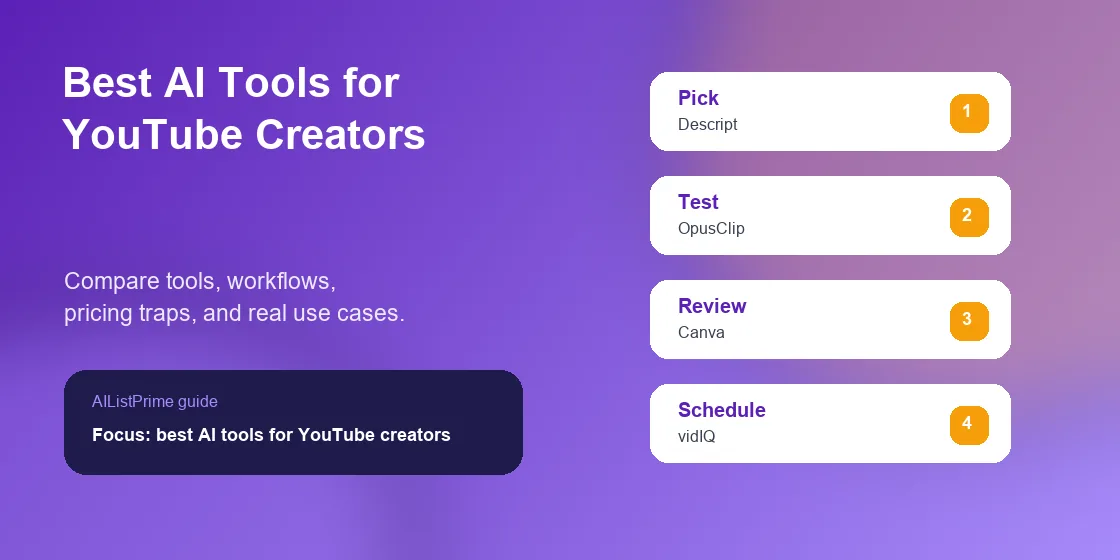
The best AI tools for YouTube creators should help you finish a real workflow, not just test a flashy demo. I looked for tools that reduce repeated work, protect accuracy, and make the final output easier to review.
For YouTubers, Shorts creators, educators, and creator-led brands, the right stack usually combines one thinking tool, one production tool, one review step, and one place to keep source material. The secondary searches behind this guide include AI tools for YouTube video editing, AI tools for YouTube thumbnails, AI video repurposing tools.
Quick Picks for AI tools for YouTube video creation
Start here if you want the short answer. These picks are based on practical workflow fit, not brand hype.
- Use Descript for transcript-based editing and short clips from long recordings.
- Use OpusClip or similar repurposing tools when one long video needs many Shorts.
- Use Canva for thumbnails that stay readable on mobile.
- Use vidIQ or TubeBuddy for topic research, but do not let scores replace audience judgment.
My rule: choose the tool that removes your current bottleneck, then add the next tool only when the workflow repeats every week.
AI Tools For YouTube Video Creation Comparison Table
The table compares the strongest use case for each tool. Pricing and feature limits should be rechecked as of June 2026 before you buy or recommend a plan.
| Tool | Best Use | Fit | Pricing Signal | Watch Out For |
|---|---|---|---|---|
| Descript | script cleanup, transcript editing, clips, captions | Best editor | Plan details and usage limits should be checked as of June 2026 | Large exports and filler-word cleanup need review |
| OpusClip | turning long videos into Shorts | Best repurposing | Plan details and usage limits should be checked as of June 2026 | Auto-selected clips can miss context |
| Canva | thumbnail layouts, end screens, channel graphics | Best thumbnails | Plan details and usage limits should be checked as of June 2026 | Busy templates reduce click clarity |
| vidIQ | topic ideas and channel optimization | Best research | Plan details and usage limits should be checked as of June 2026 | Keyword scores can push creators toward bland topics |
| TubeBuddy | bulk metadata checks and creator workflow | Best channel utility | Plan details and usage limits should be checked as of June 2026 | Browser-extension workflows can feel crowded |
| Riverside | remote interviews and podcast-style video | Best recording | Plan details and usage limits should be checked as of June 2026 | Guest setup still needs a pre-call check |
| ChatGPT Team | outlines, hooks, descriptions, community posts | Best planning | Plan details and usage limits should be checked as of June 2026 | It writes generic hooks unless you include audience comments |
How I Tested AI tools for YouTube video creation
I tested a workflow with a 28-minute interview that needed one main edit, five Shorts, a title list, and three thumbnail concepts. The fastest stack was Descript for cleanup, OpusClip for candidate Shorts, ChatGPT for title angles, and Canva for thumbnail testing.
The practical catch was context. A clip that looked exciting in isolation included a claim that needed the previous question. I rejected that clip even though the AI score was high.
The best tools made the next review step easier. The weaker tools produced something that looked finished but required more fact-checking, cleanup, or rework.
Common pitfall: Do not use AI voices, realistic synthetic scenes, or altered footage without checking YouTube disclosure rules. A fast video is not worth a channel trust problem.
Top Tools by Use Case for AI Tools For YouTube Video Creation
Use this section to pick by job, not by logo. A tool that is perfect for one step can be a poor choice for the next one.
Descript for AI tools for YouTube video creation
Descript is strongest for script cleanup, transcript editing, clips, captions. It fits YouTubers, Shorts creators, educators, and creator-led brands when the work is repeated often enough to justify a dedicated tool.
I like Descript when the creator is comfortable editing words but not a video timeline.
Best use: use it for a specific task first, then decide whether it deserves a permanent place in the workflow.
OpusClip for AI tools for YouTube video creation
OpusClip is strongest for turning long videos into Shorts. It fits YouTubers, Shorts creators, educators, and creator-led brands when the work is repeated often enough to justify a dedicated tool.
The tool found good hooks, but I still had to check whether the clip made sense without the full video.
Best use: use it for a specific task first, then decide whether it deserves a permanent place in the workflow.
Canva for AI tools for YouTube video creation
Canva is strongest for thumbnail layouts, end screens, channel graphics. It fits YouTubers, Shorts creators, educators, and creator-led brands when the work is repeated often enough to justify a dedicated tool.
I test thumbnails by shrinking them to phone size before exporting.
Best use: use it for a specific task first, then decide whether it deserves a permanent place in the workflow.
vidIQ for AI tools for YouTube video creation
vidIQ is strongest for topic ideas and channel optimization. It fits YouTubers, Shorts creators, educators, and creator-led brands when the work is repeated often enough to justify a dedicated tool.
Use it to validate demand, then add your own angle.
Best use: use it for a specific task first, then decide whether it deserves a permanent place in the workflow.
TubeBuddy for AI tools for YouTube video creation
TubeBuddy is strongest for bulk metadata checks and creator workflow. It fits YouTubers, Shorts creators, educators, and creator-led brands when the work is repeated often enough to justify a dedicated tool.
It helps most when you already publish often.
Best use: use it for a specific task first, then decide whether it deserves a permanent place in the workflow.
Riverside for AI tools for YouTube video creation
Riverside is strongest for remote interviews and podcast-style video. It fits YouTubers, Shorts creators, educators, and creator-led brands when the work is repeated often enough to justify a dedicated tool.
I use a simple guest checklist before recording to avoid audio surprises.
Best use: use it for a specific task first, then decide whether it deserves a permanent place in the workflow.
ChatGPT Team for AI tools for YouTube video creation
ChatGPT Team is strongest for outlines, hooks, descriptions, community posts. It fits YouTubers, Shorts creators, educators, and creator-led brands when the work is repeated often enough to justify a dedicated tool.
Paste real comments and retention notes before asking for script improvements.
Best use: use it for a specific task first, then decide whether it deserves a permanent place in the workflow.
AI Tools For YouTube Video Creation Workflow Stack
A simple workflow beats a large stack that nobody maintains. I would start with these steps and expand only after the first version saves time.
- Plan the video with one viewer problem and one promise.
- Edit the full video before creating Shorts.
- Review auto-selected clips for context, claims, and pacing.
- Create thumbnails after the final title, not before.
For more related categories, use the AIListPrime AI guides, compare tools in AI tool reviews, or start from the AIListPrime homepage.
How to Choose AI Tools For YouTube Video Creation
The tool that looks best in a demo is not always the tool that survives a normal workweek. I score each option by source control, review time, export quality, team fit, and how easily a mistake can be fixed.
Map the AI tools for YouTube video creation Workflow Before Buying
Write the workflow in plain language before opening a pricing page. The map should name the input, the output, the person who approves it, and the place where the final asset or record lives.
This step sounds slow, but it prevents a common buying mistake: paying for a broad AI platform when one narrow tool would remove the real bottleneck.
Test AI tools for YouTube video creation Output Against Real Work
Use one real project, not a sample prompt from the vendor. Real source material reveals problems with names, dates, product details, local context, citations, lighting, file size, or export formats.
I prefer a two-pass test. First, ask the tool to produce the asset. Then ask a human to review how much cleanup remains before it can go live.
Check AI tools for YouTube video creation Review and Export Limits
Many AI plans feel generous until you hit the export, credit, seat, storage, watermark, or history limit. Review those details before a campaign, assignment, or client deadline depends on the tool.
- Can you export clean files in the format you need?
- Can you keep source material and final output organized?
- Can a teammate review changes before anything goes public?
- Can you undo, restore, or audit the work if the tool makes a mistake?
Set a Budget Trigger for AI tools for YouTube video creation
Do not upgrade because the interface feels exciting. Upgrade when the tool saves time on a repeated task, improves quality you can see, or reduces a risk that used to require manual checking.
A good budget trigger is specific. For example, upgrade after the tool saves three hours a week, cuts editing rounds by half, or helps one person handle work that previously needed two tools.
Review the AI tools for YouTube video creation Stack Monthly
AI tools change quickly, and a workflow that felt perfect last month can become too expensive or too limited after a pricing update. Review your stack once a month and remove tools that no longer save time.
Keep a short note for each tool: why you use it, who owns it, what it costs, and what would make you replace it. That habit keeps the stack practical instead of decorative.
Common Pitfalls With AI tools for YouTube video creation
AI Tools For YouTube Video Creation Can Hide Source Problems
AI output often looks cleaner than the source material behind it. Keep original notes, files, transcripts, images, and references close to the final decision.
AI Tools For YouTube Video Creation Needs Human Review
Review claims, names, dates, prices, product details, and compliance-sensitive statements. A polished draft can still be wrong.
AI Tools For YouTube Video Creation Should Have a Budget Trigger
Set a clear upgrade trigger before paying. Good triggers include weekly time saved, fewer missed tasks, higher output quality, or less back-and-forth with contractors.
For broader responsibility and policy context, check YouTube GenAI disclosure help YouTube Community Guidelines. These are not substitutes for legal advice, but they are useful guardrails when AI touches public-facing work.
Best AI Tools For YouTube Creators FAQ
What are the best AI tools for YouTube creators?
The best AI tools for YouTube creators include Descript, OpusClip, Canva, vidIQ, TubeBuddy, Riverside, and ChatGPT Team. The right mix depends on whether you need editing, Shorts, thumbnails, research, or scripting.
Can YouTube creators monetize AI-assisted videos?
AI assistance does not automatically block monetization, but creators should keep videos original, review synthetic content rules, and disclose realistic AI-generated or meaningfully altered content when required.
Which AI tool is best for YouTube Shorts?
OpusClip is a strong choice for turning long videos into Shorts, while Descript is better when you want more manual control over transcript edits and captions.
Do AI thumbnails work for YouTube?
They can work when they clarify the video promise. Avoid misleading faces, fake screenshots, and cluttered text that cannot be read on mobile.
Next Step for AI tools for YouTube video creation
The safest next step is to run one real project through the stack before committing to paid plans. Measure time saved, errors caught, and how much human review remains.
If the workflow saves time twice in a row, document the steps and add the tool to your operating system. If it only feels impressive once, keep testing before you buy.
Next Step: Build Your AI Tool Shortlist
Bookmark this guide, then compare more practical categories on AIListPrime AI guides or review conversational tools in the best AI chatbot tools guide.