
AI Room Design Generator Free: 6 Tools Tested
I compared free AI room design tools on the jobs people actually need: restyling a real room, planning a rental-friendly update, and visualizing a renovation before buying anything.
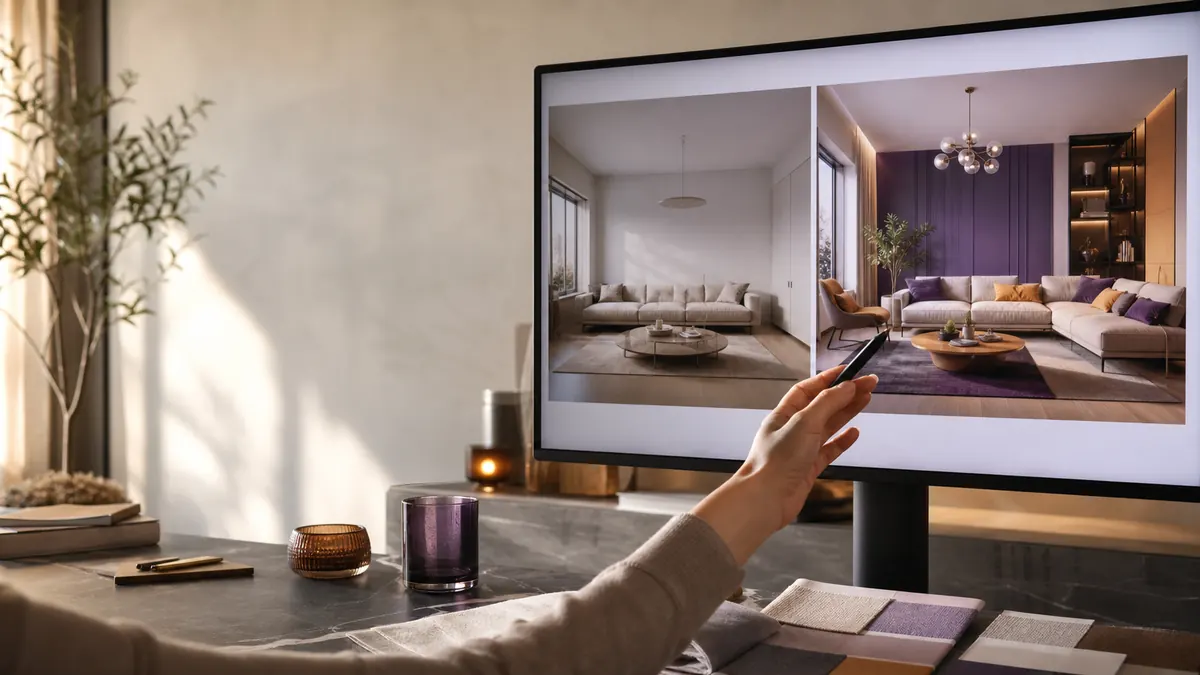
Quick Answer: Which AI Room Design Generator Free Tool Is Best?
Start with RoomsGPT if you want a quick, no-signup visual makeover from a real room photo. Its current free page advertises daily credits and a large style library, which makes it useful for comparing directions before you shop.
Choose Remodel AI when you want a more controlled free trial and a clear before-and-after workflow. Choose Planner 5D when you need a layout or 3D planning workflow rather than a single photorealistic redesign.
An AI room design generator free tool is best at showing possibilities. It is not a measuring device. Use the render to decide whether you like warm wood, a darker wall, or a different furniture mood, then verify dimensions in the real room.
For more visual software comparisons, browse AIListPrime AI Tool Reviews and the AI image tools directory.
What Free AI Interior Design Generators Really Give You
“Free” covers several different workflows. A tool may let you upload a photo and preview a render, then ask for an account at download. Another may offer a handful of daily credits but limit resolution, styles, or saved projects.
Good for trying a style or color direction. Check whether the result can be downloaded without a paywall.
Useful for testing multiple rooms, but the limit can reset slowly or vary by device and account state.
Better for room dimensions, furniture placement, and floor plans. It may look less photorealistic than an image-first tool.
RoomsGPT currently advertises 10 free daily credits and no signup on its room design page. Remodel AI advertises three free room designs without a credit card. Those limits can change, so I treat them as as of July 2026 checks rather than permanent promises.
For commercial staging or client work, read the license terms before using free outputs. A beautiful render is not automatically licensed for an ad, property listing, or paid design package.
Six AI Room Redesign Tools Compared
The table separates quick visual concepts from tools that help with more exact planning. I would not rank them on realism alone because the right choice depends on the decision you need to make.
| Tool | Best use | Free access checked | Watch for |
|---|---|---|---|
| RoomsGPT | Fast photo-to-room concepts | Daily credits, no-signup start | Visual ideas are not measured plans |
| Remodel AI | Before-and-after room redesigns | Three free designs, no card | More generations move into paid plans |
| Planner 5D | Layout and 3D planning | Free entry point with planning tools | Learning curve is higher than a one-click render |
| AI Room Designer | Simple style experiments | Free browser workflow with no required login | Daily limits and paid commercial rights |
| RoomGPT | Interior, exterior, and garden ideas | No-account generation advertised | Check temporary upload retention |
| AI Banana | Prompt-led room concepts | Free to start, paid higher-resolution tier | Exact furniture sizes still need verification |
RoomsGPT: Best First Stop for a Free Room Makeover
RoomsGPT is the easiest option when the question is, “What would this room look like in Japandi, coastal, or warm modern style?” The workflow starts from a real photo, which is more useful than generating a room from a blank prompt because the windows, floor, and camera angle give the model context.
I like the option to compare style directions quickly. I would still keep the original photo beside the result because an AI redesign can quietly move a chair, widen a window, or remove a structural column.
Remodel AI: Best for a Small Number of Controlled Trials
Remodel AI is a practical choice when three free designs are enough to test a living room, bedroom, or kitchen. The free page makes the limit clear, which is more useful than a vague “try it free” message that only appears after upload.
Its before-and-after presentation helps a homeowner explain a preferred direction to a contractor or furniture store. The output remains a concept image, so use a tape measure before ordering anything large.
Planner 5D: Best When Layout Matters More Than One Render
Planner 5D belongs in a different part of the comparison. It is more useful when you need a room layout, furniture placement, or a 3D planning view. That adds more setup, but it also gives you more control than a one-click style swap.
For a renter choosing a sofa and rug, a quick photo redesign may be enough. For a full renovation, a planning tool is the safer second step.
Adobe Firefly: Better for Moodboards Than Measured Rooms
Adobe Firefly’s official creative workflow is useful for moodboards and visual directions, especially when you want to mix references, materials, or lighting ideas. It is not the tool I would use to confirm whether a cabinet fits a wall.
How I Tested AI Room Design From Photos
I used the same three test scenarios for each kind of room design tool: a dim living-room photo, a nearly empty rental bedroom, and a kitchen with fixed cabinets. These scenarios reveal whether the tool can keep structure while changing style.
AI Room Design Test: A Dim Living Room
The useful output improved light and color without pretending the room had a second window. The weak output made the room brighter by changing the window position and adding a larger sofa. That is a beautiful picture, but it is not a reliable buying guide.
Free AI Room Redesign Test: A Rental Bedroom
I asked for warm minimalism while keeping the existing floor, wall color, and bed position. The best tools treated “rental-friendly” as a real constraint. The weaker results changed the floor and added built-in lighting, which defeats the purpose of a low-cost update.
AI Home Design Test: A Kitchen With Fixed Cabinets
Kitchens are the hardest test because layout errors are obvious. I check cabinet runs, appliance positions, backsplash height, and the direction of the light. Any tool that changes those details belongs in the inspiration stage only.
Common AI Home Design Pitfalls
Room renders feel persuasive because they turn an abstract idea into a finished image. That same polish can hide details that would matter in a real purchase or renovation.
- Furniture scale drift: the AI may make a sofa smaller so the room looks more spacious.
- Window and door changes: a model may add light by moving openings or removing trim.
- Impossible lighting: shadows can come from two directions or ignore the real window.
- Unshoppable furniture: a render may show a beautiful chair that has no matching product or real dimensions.
- License confusion: free personal previews may not include commercial use for staging or paid client work.
AI Room Design Generator FAQ
What is the best AI room design generator free tool?
For a fast first concept, RoomsGPT and Remodel AI are easy starting points. Choose based on daily credits, layout accuracy, and whether you need a visual idea or a measured floor plan.
Can I use an AI room design generator from a photo?
Yes. Most room redesign tools accept a photo, let you choose a style, and return a new visual while attempting to keep the room structure.
Are free AI room design tools accurate enough to renovate?
They are useful for visual direction, but they are not a substitute for measurements, contractor drawings, electrical plans, or structural advice.
Do free AI room design tools require an account?
Some offer a no-sign-up trial or daily credits, while others ask for an account before download or higher-resolution output. Check the export step, not only the landing page.
Next Step for an AI Room Design Generator Free Tool
Take one real room photo and test three different directions: a style change, a rental-friendly update, and a layout-focused version. Keep the render that helps you make a real decision, then verify the measurements before buying.
For more AI image comparisons, visit AIListPrime AI Tool Reviews.