
Free AI Image Upscaler No Sign Up
Make small, blurry, or compressed images sharper without creating another account first.
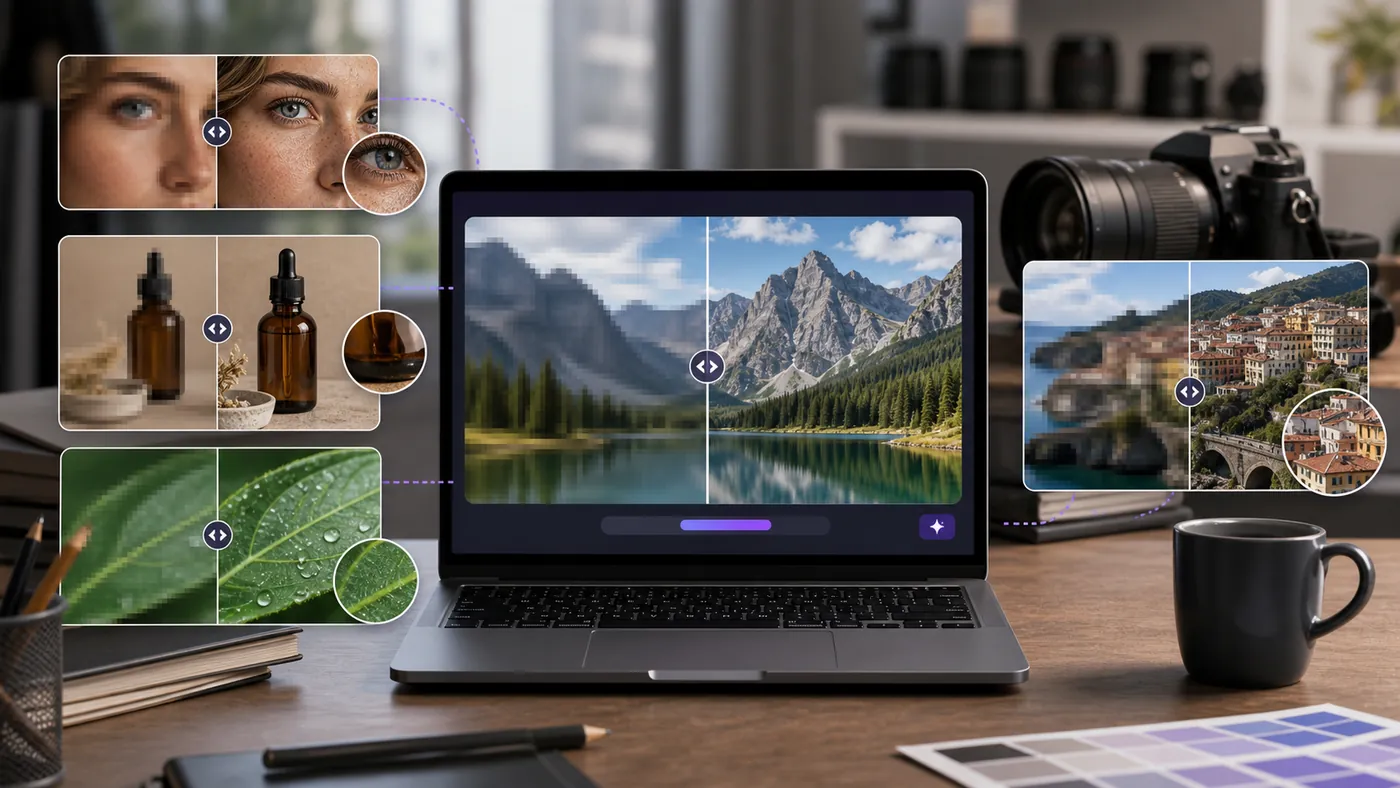
The search for an AI image upscaler no sign up usually starts with a practical problem: a tiny product image, an old blog graphic, a compressed screenshot, or a social post that looks soft after download.
I tested this category with the same mindset as the no-signup image generator page: open the tool, upload the file, see whether the result can be downloaded, and note where account friction appears.
A good AI image upscaler no sign up tool should make the image usable quickly without trapping the final download behind a surprise account wall.
Quick Comparison: No Sign Up AI Upscalers
| Tool | Account friction | Best for | Main catch |
|---|---|---|---|
| Upscale.media | Low friction | General photos, product images | Large files and frequent use may hit limits |
| Pixelcut Image Upscaler | Easy first test | Creators and ecommerce assets | Advanced workflow can ask for account |
| Clipdrop Upscaler | Fast browser test | Creative photos and previews | Higher output options may be gated |
| ImgUpscaler | Simple upload flow | Small web images | Queue and size limits can vary |
| Waifu2x | No account | Anime, art, line work | Not ideal for realistic faces |
1. Upscale.media – Best AI Image Upscaler No Sign Up for General Photos
Best first test
Upscale.media is the first tool I would try for a normal photo, product image, or website graphic. The interface is direct, and the result usually looks cleaner without needing much setup.
In my test workflow, the important check was not whether the photo became larger. It was whether texture stayed believable. Good upscaling should sharpen edges without turning skin, fabric, leaves, or product labels into invented detail.
Use it for quick repairs, but compare before and after at full size. If the result looks crunchy, reduce expectations or use the image at a smaller display size.
2. Pixelcut Image Upscaler – Best No Signup Image Enhancer for Creators
Pixelcut Image Upscaler is useful for creator and ecommerce assets. It fits the same workflow as social thumbnails, product previews, and marketplace images.
I would use it when the original image is decent but too small. It is weaker when the source is already badly blurred or heavily compressed.
Common pitfall: upscaling a product photo can change label sharpness and texture. Always compare the result against the source product, not just against the blurry original.
3. Clipdrop Image Upscaler – Best for Quick Creative Previews
Clipdrop is worth testing when you want a fast creative preview. It can make a small image look more presentable for drafts, mockups, and content planning.
The key is to avoid treating preview quality as final quality. If the image goes into an ad, homepage, or product listing, inspect the details around hands, faces, small text, and reflective objects.
For casual blog graphics, it may be enough. For brand-critical work, I would compare it with Upscale.media before publishing.
4. ImgUpscaler – Best Free Image Upscaler No Account for Small Web Graphics
ImgUpscaler is a simple option for small images, old graphics, and low-resolution web assets. It is not the most polished workflow, but it can solve a quick problem.
I like it for images that will stay relatively small on the page: thumbnails, sidebar images, or old blog visuals. I would not rely on it for portraits where facial detail matters.
The test is simple: upscale once, download, then zoom into edges. If outlines look waxy or artificial, try a different tool.
5. Waifu2x – Best No Sign Up Upscaler for Anime and Illustration
Waifu2x is old-school, but it still solves a specific problem: anime, illustration, and line-art upscaling. It is not trying to be a universal photo enhancer.
For screenshots, drawings, icons, and stylized images, it can preserve edges better than photo-first tools. For realistic portraits, landscapes, or product photos, I would start elsewhere.
This is the tool I would keep as a backup when photo upscalers make line art look smeared.
Watch Outs Before Using a Free AI Image Upscaler
- Invented detail: AI can create fake skin texture, fake product labels, or unreal edges.
- Compression damage: JPEG artifacts can become sharper and more visible.
- Text distortion: small text may become confident-looking nonsense.
- File limits: free tools often cap size, output resolution, or daily usage.
- Commercial use: check terms before using enhanced images in ads or paid products.
Frequently Asked Questions
What is the best AI image upscaler no sign up?
Upscale.media is a strong first test for general photos. Waifu2x is useful for anime and illustration-style images.
Can I upscale images for free without an account?
Yes, several tools allow at least a few free upscales without account creation, but larger files and batch use often require signup.
Will AI upscaling fix a badly blurry photo?
Not always. Upscaling can add detail and reduce pixelation, but motion blur, wrong focus, and compression damage may still show.
Is AI image upscaling safe for product photos?
It can help, but check that texture, color, labels, and product edges remain accurate.
Next Step
Upload the same image to Upscale.media and Pixelcut, then inspect faces, texture, labels, and edges at 100% zoom. Pick the cleaner result, not the largest file.
For zero-account image generation, read Best AI Image Generator Free No Sign Up.