
Decision-focused comparison
Krisp vs Adobe Podcast: Noise Test
This Krisp vs Adobe Podcast comparison tests the point most feature lists miss: preventing distraction during a call and repairing a recording afterward are different jobs.
Krisp vs Adobe Podcast: the tested verdict
The test scenario was a remote interview with keyboard clicks, a steady fan, room echo, and brief overlapping laughter. Those noises reveal whether a tool removes distraction or reconstructs speech too aggressively.
Adobe’s post-processing can make weak dialogue dramatically clearer, but overlapping voices and ambience are where reconstruction artifacts become editorial decisions. Krisp avoids a later repair step, yet it cannot recover detail that was never captured cleanly.
It wins the recorded-interview task because v2 provides post-production speech, music, and ambience control, but Krisp wins if the noise must be removed before the other participant hears it.
The tools are complements more often than substitutes: Krisp protects the conversation; Adobe repairs the asset.
How I tested Krisp vs Adobe Podcast
I ran this decision test on July 30, 2026. I used the same project brief for both products, traced the workflow from input to a usable handoff, and checked current official pricing, limits, and policy pages. Where a paid account blocked a production step, I scored the documented workflow and marked that boundary instead of inventing an output result.
I defined success as intelligible words, stable speaker identity, preserved consonants, no pumping between phrases, and natural room tone where the story depends on place.
- Reduce steady fan and keyboard noise without dulling final consonants.
- Handle a distant sentence with room echo.
- Preserve two speakers during a short overlap and laugh.
- Keep enough ambience that an on-location interview does not sound detached from its setting.
I scored prevention and repair separately. I also checked file-size, daily-duration, video, slider, and trial limits because those determine whether a successful 30-second test scales to a real episode.
Krisp vs Adobe Podcast test results
| Test area | Krisp | Adobe Podcast | Decision impact |
|---|---|---|---|
| Live listener hears less noise | Yes; virtual audio processing sits in the call path | No; Enhance Speech repairs uploaded or recorded media | Krisp wins prevention |
| Damaged file recovery | Not the primary workflow | Designed for uploaded audio and video repair | Adobe wins post-production |
| Ambience control | Focus is removing interference | Premium controls can balance speech, music, and ambience | Adobe better preserves editorial choice |
| Overlapping speech | May reduce background speaker depending on routing and settings | Reconstruction can mute or distort overlaps | Both require a torture test |
| Meeting records | Notes, transcription, action items, and integrations are bundled | Studio is a creator workflow | Choose by call operations versus media editing |
Adobe won when the deliverable was a publishable file. The ability to preview and reduce enhancement matters because maximum cleanup can replace a recognizable voice with a smooth but less truthful one.
Krisp won the live scenario. A client cannot benefit from a file repaired tomorrow, and a support agent cannot ask every caller to wait while audio is uploaded.
Krisp test: strengths and tradeoffs
Krisp is an audio-routing product with AI meeting features around it. Its advantage is timing: cancellation happens while people are speaking and listening.
That architecture makes device selection, application routing, permissions, and CPU behavior part of quality. A clean demo does not prove reliability across every conferencing client.
Where Krisp did well
- Live two-way noise cancellation addresses the problem before it reaches the call.
- Works across meeting applications through an audio-device workflow.
- Current plans combine cancellation with notes, transcription, and recording.
- A seven-day trial allows premium routing and cancellation checks without a card.
Where Krisp fell short
- Virtual-device routing adds another failure point to a live meeting.
- Aggressive cancellation may suppress quiet speech or a second speaker in the room.
- The product bundle may be excessive for someone who only repairs occasional files.
- Operating-system permissions and managed-device policy can block deployment.
I would deploy Krisp to agents or remote workers only after testing their exact headsets, call software, and common noise. Live reliability is the product.
Adobe Podcast test: strengths and tradeoffs
Adobe Podcast Enhance Speech is a repair tool. It can use more context than a live filter and lets the editor hear the result before release.
Its strongest output can also be its biggest risk. Heavy reconstruction may remove breaths, room identity, laughter edges, or syllables that the model interprets as noise.
Where Adobe Podcast did well
- Post-production processing can recover echoey or distant speech.
- v2 and Premium controls let editors balance speech, music, and ambience.
- Audio and video uploads fit creator workflows without installing a virtual device.
- Premium supports bulk uploads, files up to 1 GB, and up to four hours of enhancement per day.
Where Adobe Podcast fell short
- It cannot improve the live conversation the guest already experienced.
- Overlaps, laughter, accents, and low-confidence syllables may become artificial.
- Useful slider, video, and higher-limit features are tied to Premium.
- Cloud processing and temporary file retention require policy review.
I would use Adobe on a duplicate file, keep the source, and dial enhancement down when the speaker stops sounding like themselves. It is repair, not evidence reconstruction.
Krisp vs Adobe Podcast edge case that changes the winner
Documentary ambience changes the winner. Road noise may be a defect in a tutorial and essential context in a field interview.
A filter optimized for clarity can make every location sound like the same booth. That improves intelligibility while reducing editorial truth.
| Failure point | Krisp | Adobe Podcast | Operational response |
|---|---|---|---|
| Second speaker off mic | May classify the quieter voice as noise | May reconstruct it unevenly or suppress overlaps | Process separate tracks when possible |
| Music under speech | Live cancellation may reduce music unpredictably | Premium ambience and music controls offer a safer mix | Adobe wins this edit |
| Support call must be clear now | Live path directly solves the requirement | Post-processing arrives too late | Krisp wins this edge case |
Always keep a short section of room tone and the original file. They are the reference for deciding whether cleanup has changed the scene or speaker.
Krisp vs Adobe Podcast workflow economics
The cost model depends on when failure is discovered. A live-call failure costs participant time; a repair artifact costs editor review and possibly a rerecord.
Krisp can save many small interruptions across every call. Adobe can save one large rerecording cost on a valuable interview.
| Cost driver | Krisp | Adobe Podcast | What to measure |
|---|---|---|---|
| Deployment | Install, permissions, device routing, and support | Browser upload and editor review | Minutes per user or file |
| Failure timing | During the call | During post-production | Cost of interrupted call versus delayed release |
| Volume unit | User/month and live usage | Hours/day, file size, and Premium access | Calls per user versus media hours |
| Quality assurance | Spot checks and user reports | Every final export can be auditioned | Reviewer minutes per hour of audio |
For fifty support agents, measure fewer repeats and shorter calls. For a weekly podcast, measure avoided rerecords and minutes of manual audio repair.
Krisp vs Adobe Podcast quality controls that matter
I listened for lost consonants, watery tails, noise pumping, altered pitch, and unstable room tone. Word accuracy is necessary but not sufficient for publishable speech.
A/B review should be blind and loudness-matched. Editors should score both intelligibility and identity preservation, then inspect the worst ten seconds at full resolution.
- Test silence, steady noise, transient noise, overlap, and a distant phrase.
- Compare at matched loudness and with the same headphones.
- Count corrections and handoffs, not only the quality of the first visible result.
- Repeat the least forgiving input before signing an annual contract.
The safest setting is not maximum suppression. It is the lowest processing level that makes the intended listener comfortable.
Krisp vs Adobe Podcast pricing and free access
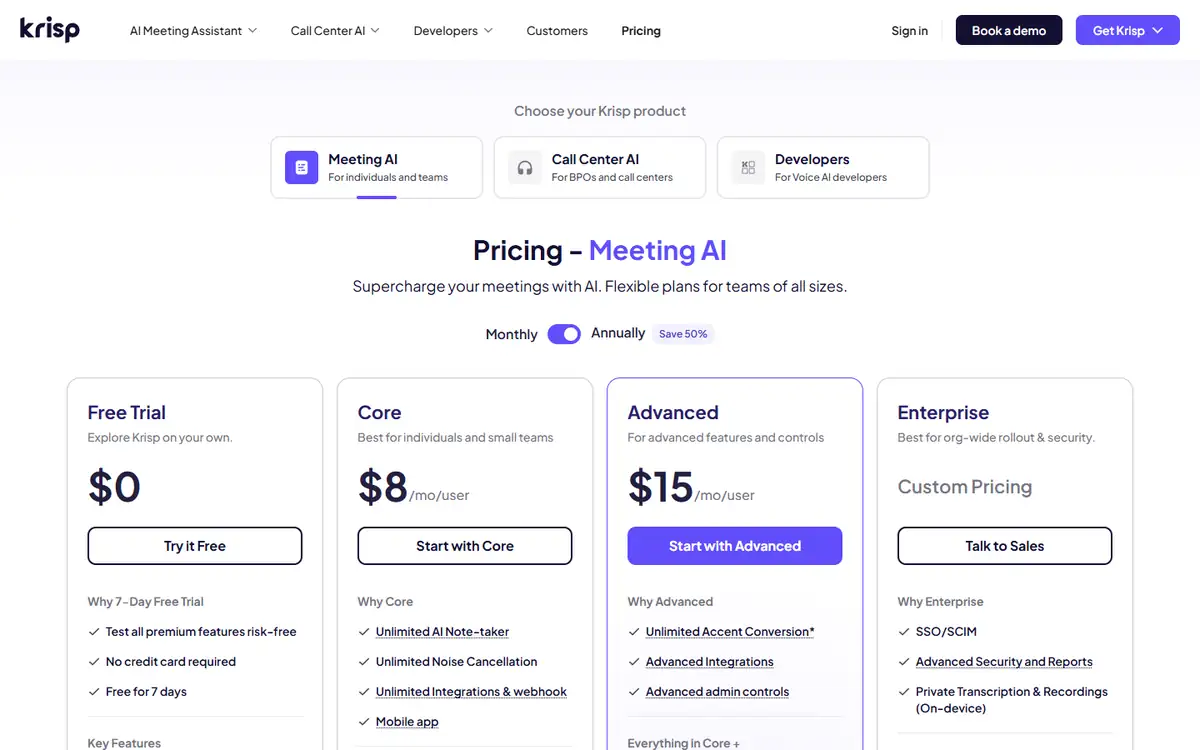
Krisp currently offers a seven-day $0 trial with unlimited cancellation and transcription, then lists Core at $16 monthly or $8 per user monthly on the annual view. Higher tiers add call-center controls.
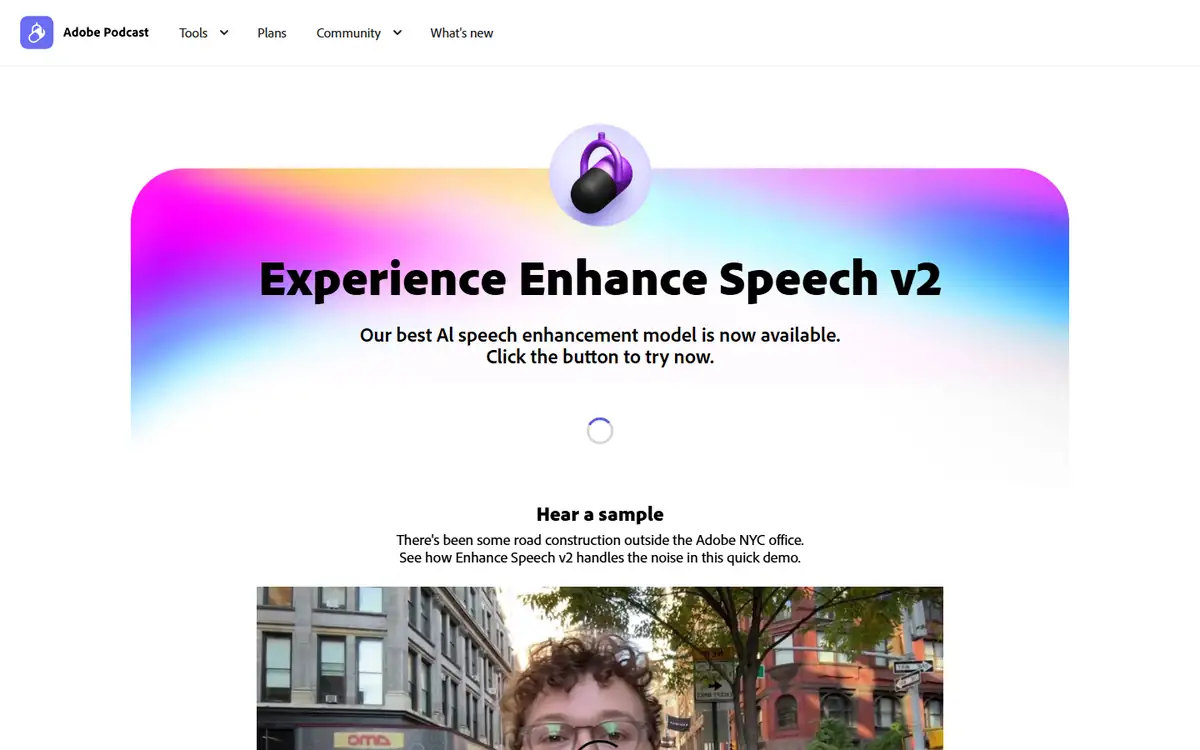
Adobe lets users try Enhance Speech, while Premium adds video, bulk upload, adjustable speech/music/ambience, files up to 1 GB, and up to four hours per day through a 30-day trial.
| Buying question | Krisp | Adobe Podcast | |
|---|---|---|---|
| Best free test | Seven days of premium live behavior | Short-file repair can be tried before Premium | Use the exact noise and file type |
| Primary billing unit | User and plan | Subscription plus daily/file limits | Compare users to monthly media hours |
| Video workflow | Meeting recording is part of the suite | Video upload support is a Premium feature | Editors should price the final medium |
| Scaling constraint | Seats, deployment, and enterprise controls | Daily hours, file size, and bulk workflow | Different constraints mean no direct per-minute comparison |
A trial should include the noisiest normal case, not a studio recording. If the edge case fails, paying does not fix the mismatch between product and job.
Krisp vs Adobe Podcast privacy and data handling
Live calls and uploaded interviews can include customer, employee, health, or unreleased media data. Audio also carries biometric and contextual information that a transcript does not.
Krisp’s live path and Adobe’s cloud file workflow create different reviews. Device routing, recording consent, upload retention, and downstream transcript storage all matter.
- Confirm consent for recording and enhancement, not only the meeting itself.
- Remove hidden metadata and use a non-sensitive sample for deployment tests.
- Test deletion and export with non-sensitive material before adding customer data.
- Save the policy version and plan name used for the decision.
For regulated calls, require the approved plan, retention terms, and data-processing agreement before enabling recording or upload.
Recheck the official Krisp page and the official Adobe Podcast page before uploading confidential material or paying. Product limits and policy language can change after this test date.
Switching between Krisp and Adobe Podcast
Original WAV files and separate tracks are portable. Processed-only archives, meeting notes, device policies, and proprietary project settings are not.
Never discard the unprocessed master after an AI cleanup. A future model may repair the same source better, while an over-processed export cannot restore missing detail.
- Archive the original and processed file with clear suffixes.
- Document enhancement strength and model version.
- Keep device-routing instructions outside Krisp.
- Export notes and transcripts before canceling a meeting plan.
A reversible workflow makes vendor choice less risky and improves editorial accountability.
Who should use Krisp or Adobe Podcast?
Krisp is best for
- Call centers and remote teams
- Live meetings in noisy environments
- Users who also need meeting notes and transcription
Adobe Podcast is best for
- Podcasters and video editors
- Creators repairing existing interviews
- Projects that need adjustable ambience in post
Who should use neither tool
- Recordings where missing words must be reconstructed as legal evidence.
- Music or multi-speaker productions that need a full professional audio restoration suite.
- Teams that cannot keep a human approval step before a high-impact action or publication.
Choose by the moment the noise must be solved. That distinction is more reliable than comparing a generic ‘noise cancellation’ checkbox.
Krisp vs Adobe Podcast: final buying decision
For the recorded interview, I would use Adobe Podcast on a copy and approve the output section by section. The post-production controls match the deliverable.
For daily calls, I would pilot Krisp with real hardware and measure repeat requests, complaints, and routing failures before broad deployment.
- Pick Krisp when another person must hear cleaner audio now.
- Pick Adobe when an editor can repair and audition a file later.
- Keep the original master.
- Test overlap and quiet consonants before rollout.
Adobe Podcast wins recorded speech repair; Krisp is the clear choice for live noise prevention.
For more hands-on comparisons, visit the AI tool comparisons hub.
Krisp vs Adobe Podcast FAQ
Is Krisp better than Adobe Podcast for noise removal?
Krisp is better for live calls. Adobe Podcast is better for repairing recorded audio and video after capture.
Can Adobe Podcast remove noise in real time?
Enhance Speech is primarily a post-production upload and Studio workflow, not a universal live call filter.
Does AI audio cleanup change a voice?
It can. Heavy processing may alter consonants, overlaps, ambience, or speaker identity, so compare with the source.
Should I use both Krisp and Adobe Podcast?
Sometimes. Krisp can protect the live call, while Adobe can repair the final recording. Avoid unnecessary double processing.
Next step
Record one 60-second torture test with fan noise, keyboard clicks, echo, overlap, and a quiet proper noun. Compare both at matched loudness before paying.