
Hands-on comparison
Remove.bg vs PhotoRoom: Product Photo Test
I used one generated bottle photo with a plant, window highlights, table grain, and a contact shadow to test cutout quality and anonymous reliability.
Remove.bg vs PhotoRoom: the tested verdict
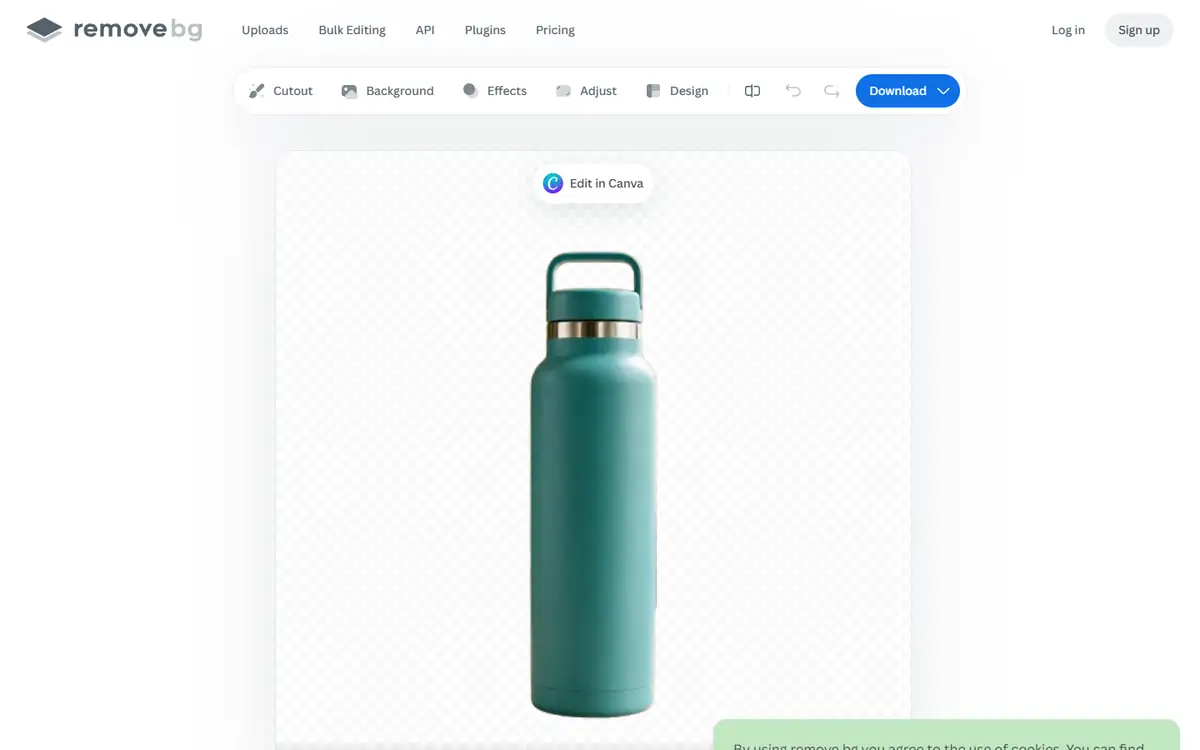
Remove.bg removed the plant, brick wall, window, table, and chair while preserving the handle opening and metal band.
The cutout lost the original contact shadow, which is expected for a transparent asset but means it needs a new grounded shadow for an ecommerce composition.
It completed the requested cutout and kept the bottle handle intact.
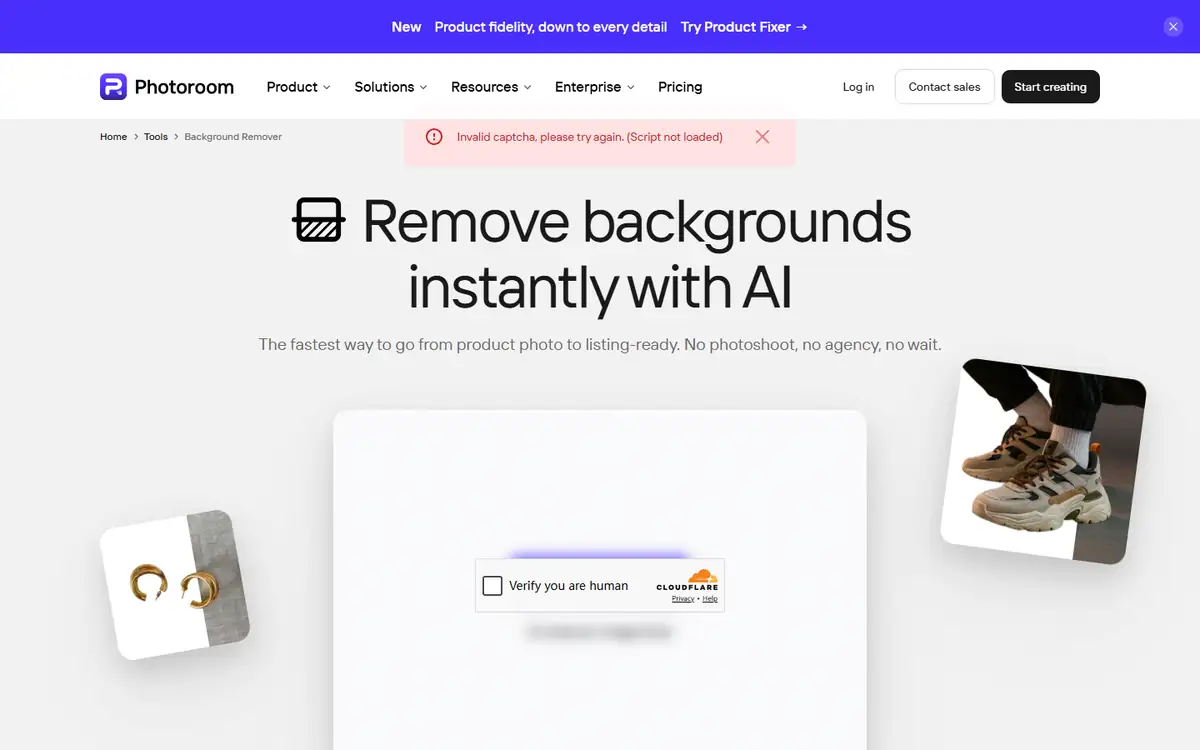
Remove.bg wins anonymous reliability; PhotoRoom remains unscored for edge quality because its CAPTCHA blocked processing.
How I tested Remove.bg vs PhotoRoom
I ran this comparison on July 28, 2026 in a clean, logged-out Chrome session at 1440 by 1050 pixels. Both tools received the same input, and I timed the usable result rather than the first animation or loading state.
The source was a generated, unbranded teal bottle on a café table. Fine plant leaves, bright window bokeh, and the handle opening created realistic segmentation challenges.
- Upload the same 1536-pixel PNG to each public remover.
- Wait for a transparent result without creating an account.
- Inspect the handle hole, metal band, bottle edge, and contact shadow.
- Record blockers as part of the user experience.
I did not reward background templates or generative scenes. The task was a transparent cutout that could be used in another design.
Remove.bg vs PhotoRoom test results
| Test area | Remove.bg | PhotoRoom | Decision impact |
|---|---|---|---|
| Upload accepted | Yes | Yes | Both accepted the generated source. |
| Transparent result | Visible | Not returned | Only remove.bg completed the task. |
| Handle opening | Preserved | Not scored | A common hard edge survived. |
| Anonymous reliability | Completed | CAPTCHA failed | Remove.bg was usable in this session. |
The visible remove.bg preview had a slightly soft edge at display scale, but the object silhouette was complete.
PhotoRoom’s failure message specifically said the CAPTCHA script had not loaded. That points to browser friction rather than image-quality failure.
Remove.bg test: strengths and tradeoffs
Remove.bg kept the geometry that mattered and reached the editor without sign-in.
Its interface also offered cutout repair and background options after processing.
Where Remove.bg did well
- Completed anonymous cutout
- Preserved handle and bottle silhouette
- Simple download path
Where Remove.bg fell short
- Original shadow removed
- Preview edge looked slightly soft
- High-resolution download limits may apply
Remove.bg is the safer choice when a deadline depends on one clean cutout.
PhotoRoom test: strengths and tradeoffs
PhotoRoom’s public page promised a product-focused workflow and accepted the input.
The verification failure prevented any honest edge comparison.
Where PhotoRoom did well
- Product-photo focus
- Broader editing workflow
- Public file input
Where PhotoRoom fell short
- Invalid CAPTCHA in the test
- No processed image
- Result quality could not be scored
PhotoRoom needs a normal-browser retry before it belongs in a repeatable automated workflow.
Remove.bg vs PhotoRoom quality: what changed the outcome
Background removal should be tested on openings, reflective trim, fine strands, transparent objects, and contact shadows.
A simple object against a plain wall is not enough to reveal haloing or missing interior gaps.
- Use the exact same input and settings for both tools.
- Score task completion before judging polish.
- Count manual fixes, blocked steps, and failed exports.
- Repeat one edge case instead of trusting a single ideal sample.
Download the PNG and place it on white, black, and a saturated color to reveal edge contamination.
Remove.bg vs PhotoRoom pricing and free access
I checked the public entry points and pricing language during the test. I did not treat a prominent free label as proof that the complete workflow was free.
The useful unit is a finished task: an export, an answer set, or a file that can be used outside the editor. A free preview that stops before that point has limited buying value.
| Buying question | Remove.bg | PhotoRoom |
|---|---|---|
| Can the test start without an account? | See tested result | See tested result |
| Can a usable result be exported? | Verify at the final step | Verify at the final step |
| Are limits based on files, words, or credits? | Check live plan | Check live plan |
| Does the plan renew automatically? | Check checkout | Check checkout |
I would run one representative job before subscribing, then divide the monthly price by the number of outputs that actually pass review. That number is more honest than a per-credit headline.
Remove.bg vs PhotoRoom privacy and data handling
The test material was synthetic or already public. I did not upload client records, private drafts, identity documents, or unreleased media.
For production use, the practical questions are retention, model-training use, deletion controls, subprocessors, and whether a team plan changes those terms.
- Use a disposable sample before sending confidential material.
- Remove names, account numbers, hidden metadata, and tracked changes.
- Confirm whether deleting a project also deletes source files and generated derivatives.
- Record the policy version used for a regulated workflow.
A polished result does not reduce the sensitivity of the source. If the input would be risky in an ordinary support ticket, it is risky in an AI tool too.
Recheck the official Remove.bg page and the official PhotoRoom page before uploading confidential material or paying. Product limits and policy language can change after this test date.
Who should use Remove.bg or PhotoRoom?
Remove.bg is best for
- Sellers needing quick transparent cutouts
- Designers preparing one-off assets
- Users who need anonymous task completion
PhotoRoom is best for
- Teams wanting a larger product-photo editor
- Users working in PhotoRoom’s ecosystem
- People willing to handle browser verification
Who should use neither tool
- Teams that need a signed data-processing agreement before any test.
- Users who cannot independently verify the output.
- Workflows where a missed fact, altered edge, or false label creates legal or safety risk.
Complex glass, hair, smoke, and reflective jewelry still deserve a manual edge check.
Remove.bg vs PhotoRoom: final buying decision
Remove.bg wins because it produced a usable result and PhotoRoom did not.
This is a reliability verdict, not proof that remove.bg always has better segmentation.
- Choose the tool that completes your real task with fewer corrections.
- Treat sign-in walls, CAPTCHAs, and export limits as part of the product.
- Keep a manual verification step for high-impact work.
- Retest after a major model, editor, or pricing update.
Start with remove.bg, inspect the cutout on three backgrounds, and retry PhotoRoom only when its verification layer works in your browser.
For more hands-on comparisons, visit the AI tool comparisons hub.
Remove.bg vs PhotoRoom FAQ
Is remove.bg better than PhotoRoom?
For this July 2026 anonymous test, remove.bg completed the cutout while PhotoRoom was blocked by an invalid CAPTCHA.
Did remove.bg keep the bottle handle?
Yes. The inner handle opening and bottle silhouette were preserved in the visible result.
Why did PhotoRoom fail?
The page reported that its CAPTCHA script had not loaded, so image quality could not be tested.
Next step
Upload one image with a hole, reflective edge, and shadow, then inspect the PNG on three contrasting backgrounds.