
Hands-on comparison
Remove.bg vs PhotoRoom: Product Photo Test
The July bottle cutout is still useful edge evidence. The October decision now turns on remove.bg’s December shutdown notice, export needs and an unresolved PhotoRoom browser challenge.
Remove.bg vs PhotoRoom: the current decision
For a new recurring workflow, a product with a published self-service cutoff cannot be chosen solely because it finished one older upload. Test PhotoRoom and Canva on your real image set, including final export and plan limits, before moving. Existing remove.bg Enterprise API contracts have a different stated path.
What was and was not tested
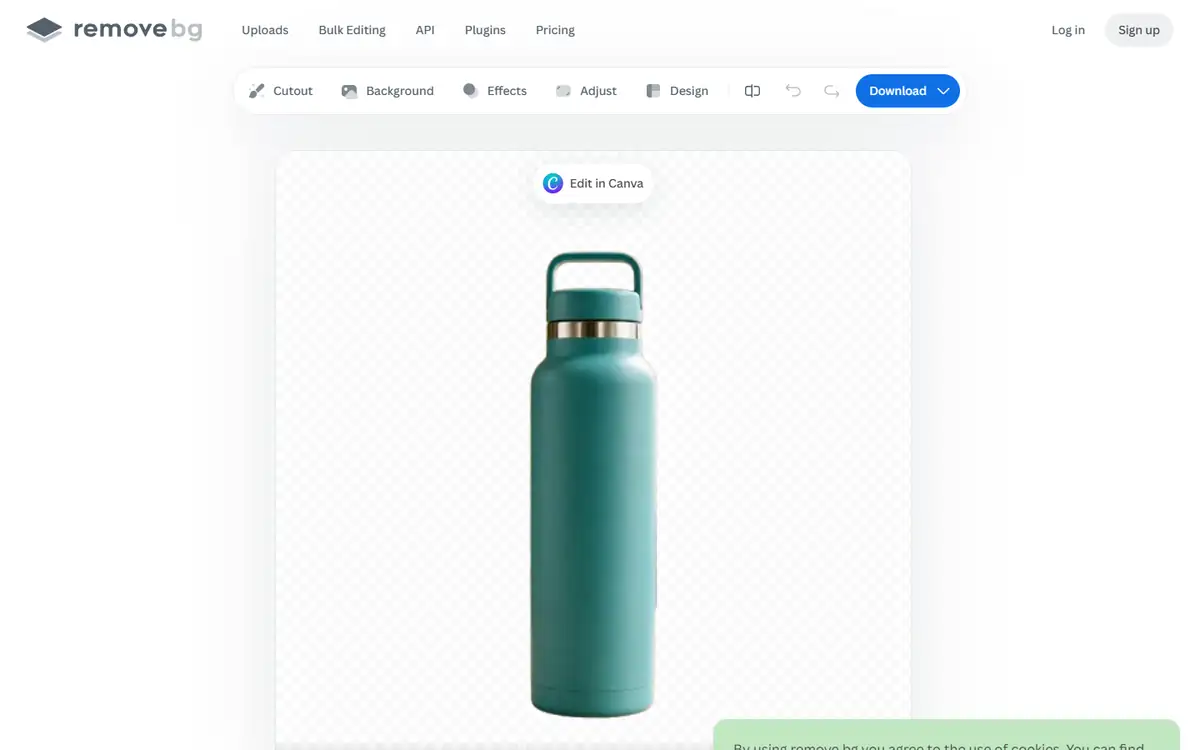
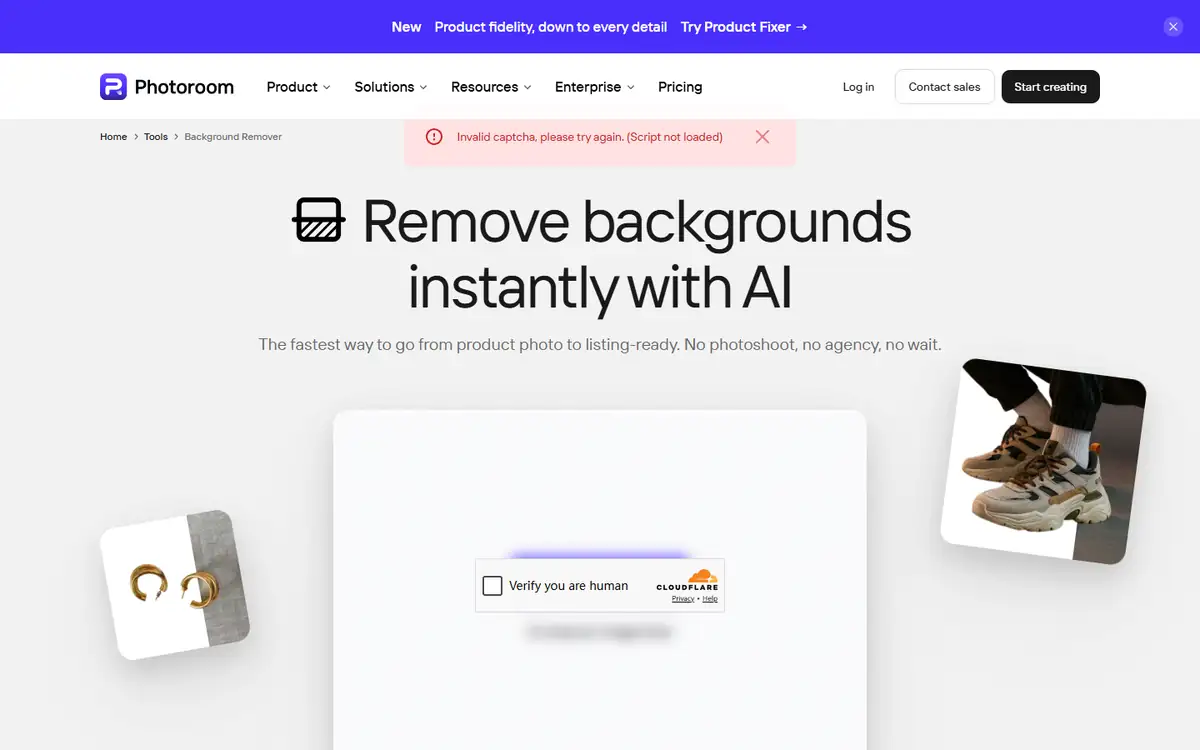
The original July 28, 2026 logged-out Chrome test sent the same generated 1,536-pixel bottle photo to both public removers. The existing screenshots show a remove.bg cutout preserving the handle opening and PhotoRoom’s invalid-CAPTCHA message. They are archived observations, not a current service-level guarantee.
On October 26 we opened both public entry points in fresh logged-out Chrome contexts at 1440 × 1050. remove.bg displayed its dated migration notice. An attempted upload through its visible button did not open a file chooser in this automated session, so no new remove.bg cutout was obtained. PhotoRoom’s page accepted a 780 × 1,040 CC0 bottle image, then showed a Cloudflare “Verify you are human” challenge; no processed image or export was returned. The photo is Jessephu’s CC0 Wikimedia Commons image; it is a top-down bottle view, not the July side-view image. These two sessions cannot compare current edge quality.
Observed results and limits
| Check | remove.bg | PhotoRoom | Decision impact |
|---|---|---|---|
| July 28, same generated bottle | Transparent cutout visible; handle opening preserved | Invalid CAPTCHA; no result | Dated task completion, not a permanent quality ranking. |
| October 26, public entry | Migration banner visible; upload did not complete in this automated run | CC0 image accepted, then Cloudflare human verification | No new comparable cutout or download. |
| After December 1 cutoff | Standalone site and self-service API scheduled to stop | Current product-photo service continues | Long-term workflow choice must account for migration. |
Do not infer that a human user will see the same challenge. Browser verification is session-specific. Nor does the older remove.bg cutout prove a current export entitlement.
Remove.bg: good archived cutout, stated transition
The archived bottle cutout retained the handle and metal band, while removing its original contact shadow. That was useful for a transparent asset, but a listing composition would need a credible replacement shadow.
The official migration FAQ says the standalone site and self-service API stop December 1 at 9:00 a.m. CET. Single and bulk image work is directed to Canva; self-service API users are directed to Leonardo.ai. It says existing Enterprise API contracts continue. This is a product-access change, not a claim that background removal as a capability disappears.
Before that cutoff, the FAQ advises using unused pay-as-you-go credits and downloading invoices and usage reports from the account. The current help page describes free low-resolution website previews up to 0.25 megapixels for personal use; high-resolution and commercial uses have different terms. Do not treat the preview as a full-size commercial export.
PhotoRoom: active workflow, unverified cutout
In the October anonymous Chrome session, PhotoRoom accepted the test photo but stopped at human verification before returning an editable cutout. We cannot judge its bottle edge, shadow handling or export from that attempt.
PhotoRoom’s background-remover guide says the tool works across its platforms and exports count against the plan’s export allowance. Its Free Space explanation describes limited monthly exports after sign-in; paid plans separate core tools from AI credits. Check the live offer and your region before committing.
How to compare cutouts and migrate safely
- Keep your original JPEG or PNG and a list of current downstream sizes. Do not rely on an app project as the only copy.
- Submit the exact same product photo to each replacement under the account and plan you will use.
- Inspect fine edges, handle holes, reflective trim, labels and contact shadows on white, black and saturated backgrounds.
- Download the final transparent file, verify its pixel dimensions and check if export counts, credits or watermarks apply.
- For an API workflow, test the replacement endpoint, error handling and output contract before the cutoff. Confirm Enterprise exceptions against your own agreement.
Pricing, credits and access
The relevant unit is a usable exported product image, not a free preview. remove.bg’s no-cost website preview is capped at 0.25 megapixels for personal use in its help article, and its FAQ says unused pay-as-you-go credits expire on December 1. PhotoRoom’s Free Space has limits, and each saved image counts toward an export allowance. Paid plan allowances and local prices can vary; review checkout and plan terms for your account.
We did not buy a subscription or test a paid export. Before renewing remove.bg or switching services, calculate the cost and output quality of a representative batch, then preserve billing records before access changes.
Privacy and file handling
The July input was generated; the October photo was a public CC0 image. No private client catalog or unreleased launch asset was uploaded. Read each service’s retention and deletion terms before sending commercial photos, especially when moving to a new account or API.
Export source files, resulting masks and account reports you need to keep. The remove.bg FAQ says account access and invoice downloads stop at the published cutoff.
Who should use which workflow?
Existing remove.bg user
- Use the remaining window to export work and billing records.
- Prepare a replacement for recurring website or self-service API work.
- Check your own Enterprise API contract if applicable.
PhotoRoom candidate
- Test a normal signed-in Free Space or authorized paid plan.
- Confirm image exports and product-detail integrity.
- Compare Canva or another option on the same images.
A one-image July result is insufficient to call either product universally better today.
Final buying decision
For the historical July side-view photo, remove.bg finished the task and PhotoRoom did not. For a new long-running workflow in late October, remove.bg’s published December cutoff is more important than that old win. Choose a replacement only after a current, same-image test under your real plan; we have not established a PhotoRoom quality win from the October verification-limited session.
See more focused tests in the AI tool comparisons hub.
Remove.bg vs PhotoRoom FAQ
Is remove.bg shutting down?
Its standalone website and self-service API are scheduled to stop on December 1, 2026 at 9:00 a.m. CET. Background removal is moving into Canva; existing Enterprise API contracts are stated to continue.
Did PhotoRoom beat remove.bg on cutout quality?
No current same-image quality winner was established. The July remove.bg image is an archive result; the October PhotoRoom browser session stopped at a human-verification challenge.
What should existing remove.bg users save?
Before the published cutoff, save needed originals and outputs, use remaining pay-as-you-go credits, and download invoices and credit usage reports. Validate a replacement with your own images and export requirements.
Next step
Save your originals and account reports, run one representative product photo through a replacement, and check the exported pixels, mask edge, shadow and plan allowance before December 1.