
Hands-on comparison
ChatPDF vs ChatDOC: PDF Q&A Test
I built a two-page project brief with known facts, tables, exclusions, and a stop condition, then asked both tools five decision questions.
ChatPDF vs ChatDOC: the tested verdict
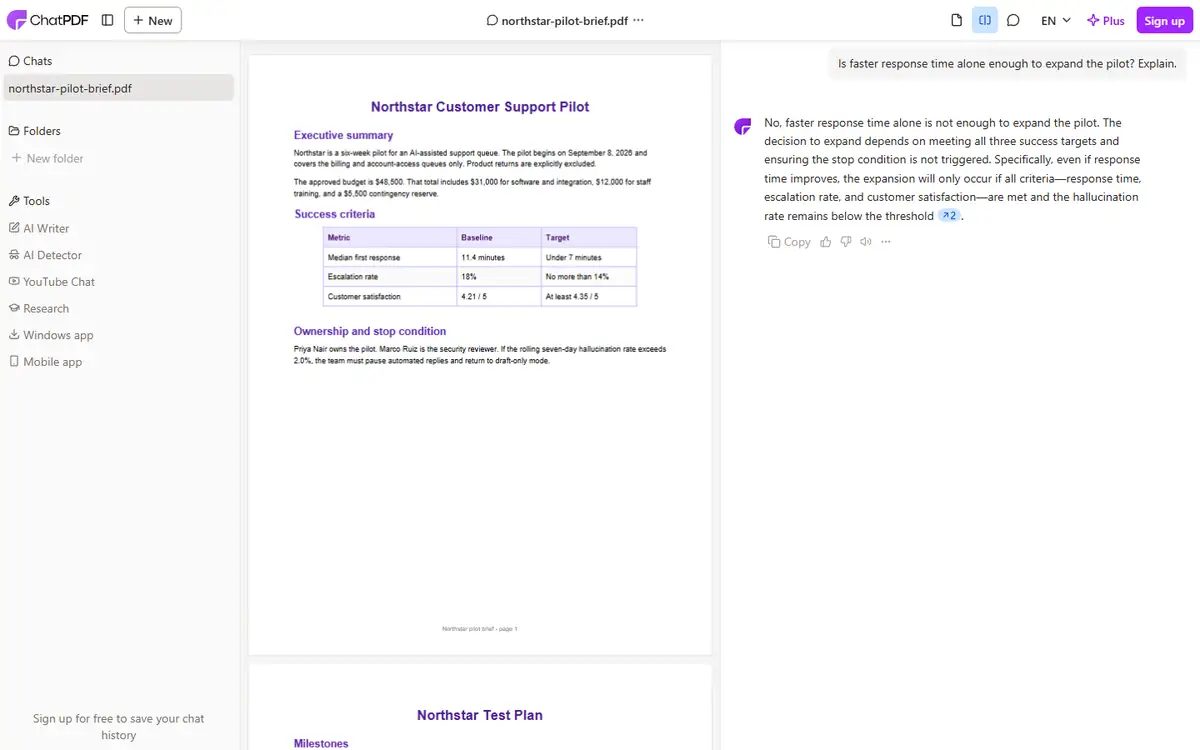
ChatPDF retrieved the $48,500 budget, included and excluded queues, named owners, the 2.0% pause threshold, and the multi-metric expansion rule.
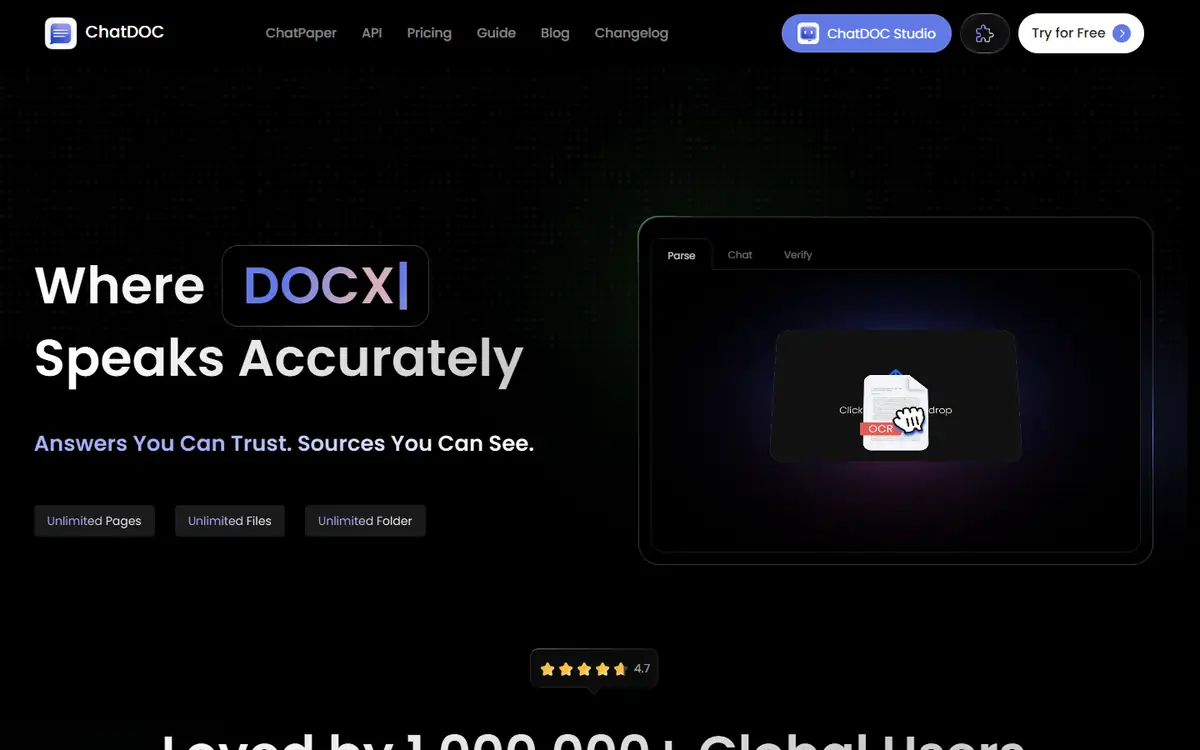
ChatDOC accepted the file chooser but the public page emphasized account creation and never exposed a prompt box in this run.
It completed the full upload-to-answer workflow in an anonymous session.
ChatPDF is the clear choice for no-sign-up PDF questions; ChatDOC needs an account-level trial before a fair answer-quality comparison.
How I tested ChatPDF vs ChatDOC
I ran this comparison on July 28, 2026 in a clean, logged-out Chrome session at 1440 by 1050 pixels. Both tools received the same input, and I timed the usable result rather than the first animation or loading state.
The synthetic Northstar brief contained prose, two tables, dates, a budget breakdown, an exclusion, a named owner, a security reviewer, and a cross-page decision rule.
- Upload the exact same two-page PDF.
- Ask five questions ranging from direct lookup to cross-page reasoning.
- Compare each answer with the seeded source.
- Record citations, account barriers, and total time.
The final question asked whether faster response time alone justified expansion. A correct answer had to combine the decision rule with all three success criteria.
ChatPDF vs ChatDOC test results
| Test area | ChatPDF | ChatDOC | Decision impact |
|---|---|---|---|
| Budget lookup | $48,500, correct | No answer | ChatPDF completed the direct lookup. |
| Included and excluded scope | Correct | No answer | ChatPDF preserved the explicit exclusion. |
| Owner and security reviewer | Correct | No answer | Named entities were retrieved accurately. |
| Cross-page decision rule | Correct | No answer | ChatPDF combined multiple criteria. |
ChatPDF was strongest on answers with explicit source wording. It also correctly explained that lower response time alone was insufficient.
The first ChatPDF screen generated a broad summary before the direct question was visible. That extra output was harmless here but can waste attention on longer files.
ChatPDF test: strengths and tradeoffs
ChatPDF reached an answer state quickly and retained the conversation across five questions.
Its responses quoted the critical thresholds and did not invent owners or dates.
Where ChatPDF did well
- Five correct seeded answers
- Useful page references
- Anonymous short-document workflow
Where ChatPDF fell short
- Automatic summary adds noise
- Accuracy on scans was not tested
- Sensitive documents still need policy review
ChatPDF earned a real task-completion win, not merely a better feature list.
ChatDOC test: strengths and tradeoffs
ChatDOC’s page presented parsing, chat, and verification as product stages, which is a sensible workflow.
I could not reach the chat stage anonymously, so no answer-quality claim is justified from this session.
Where ChatDOC did well
- Clear emphasis on source verification
- Supports more document formats on the public page
- Workspace positioning may suit teams
Where ChatDOC fell short
- No anonymous prompt reached
- Account friction before evidence
- Zero comparable answers in this run
ChatDOC belongs on a shortlist only if the team is willing to run an authenticated pilot.
ChatPDF vs ChatDOC quality: what changed the outcome
PDF chat tests should contain answer traps: exclusions, similar names, footnotes, and rules split across pages.
Direct lookup alone rewards keyword search. Cross-page questions reveal whether the tool can combine conditions without dropping one.
- Use the exact same input and settings for both tools.
- Score task completion before judging polish.
- Count manual fixes, blocked steps, and failed exports.
- Repeat one edge case instead of trusting a single ideal sample.
Scanned pages, charts, and multi-column layouts need a separate OCR test before procurement.
ChatPDF vs ChatDOC pricing and free access
I checked the public entry points and pricing language during the test. I did not treat a prominent free label as proof that the complete workflow was free.
The useful unit is a finished task: an export, an answer set, or a file that can be used outside the editor. A free preview that stops before that point has limited buying value.
| Buying question | ChatPDF | ChatDOC |
|---|---|---|
| Can the test start without an account? | See tested result | See tested result |
| Can a usable result be exported? | Verify at the final step | Verify at the final step |
| Are limits based on files, words, or credits? | Check live plan | Check live plan |
| Does the plan renew automatically? | Check checkout | Check checkout |
I would run one representative job before subscribing, then divide the monthly price by the number of outputs that actually pass review. That number is more honest than a per-credit headline.
ChatPDF vs ChatDOC privacy and data handling
The test material was synthetic or already public. I did not upload client records, private drafts, identity documents, or unreleased media.
For production use, the practical questions are retention, model-training use, deletion controls, subprocessors, and whether a team plan changes those terms.
- Use a disposable sample before sending confidential material.
- Remove names, account numbers, hidden metadata, and tracked changes.
- Confirm whether deleting a project also deletes source files and generated derivatives.
- Record the policy version used for a regulated workflow.
A polished result does not reduce the sensitivity of the source. If the input would be risky in an ordinary support ticket, it is risky in an AI tool too.
Recheck the official ChatPDF page and the official ChatDOC page before uploading confidential material or paying. Product limits and policy language can change after this test date.
Who should use ChatPDF or ChatDOC?
ChatPDF is best for
- Students asking questions about short readings
- Analysts triaging public reports
- Teams needing quick source-linked answers
ChatDOC is best for
- Organizations evaluating a persistent document workspace
- Users willing to create an account for a pilot
- Teams that value verification UI
Who should use neither tool
- Teams that need a signed data-processing agreement before any test.
- Users who cannot independently verify the output.
- Workflows where a missed fact, altered edge, or false label creates legal or safety risk.
Neither tool should make a contractual, medical, or financial decision without opening the source.
ChatPDF vs ChatDOC: final buying decision
ChatPDF wins 5-0 on completed questions in this test.
ChatDOC’s result is best described as not testable anonymously, not inaccurate.
- Choose the tool that completes your real task with fewer corrections.
- Treat sign-in walls, CAPTCHAs, and export limits as part of the product.
- Keep a manual verification step for high-impact work.
- Retest after a major model, editor, or pricing update.
Use ChatPDF for a short public or synthetic document, verify every cited passage, and trial ChatDOC only with a controlled account and deletion check.
For more hands-on comparisons, visit the AI tool comparisons hub.
ChatPDF vs ChatDOC FAQ
Is ChatPDF more accurate than ChatDOC?
ChatPDF answered all five seeded questions correctly. ChatDOC did not expose an anonymous question box, so its answer accuracy was not scored.
Can ChatPDF answer questions across pages?
It correctly combined the multi-metric expansion rule from the two-page test document.
Is it safe to upload confidential PDFs?
Not by default. Review retention, training use, deletion, and contract terms before uploading sensitive files.
Next step
Create a two-page synthetic brief with five known answers, then test any PDF chatbot before sending a real document.