
Decision-focused comparison
n8n vs Make: AI Lead Routing Test
This n8n vs Make test routes leads only after enrichment, AI classification, duplicate checks, consent validation, and a safe CRM write.
n8n vs Make: the tested verdict
The test flow received a form lead, normalized the company, checked duplicates, enriched the domain, classified intent, rejected unsupported regions, wrote the CRM, and alerted the right owner.
The failure test mattered more: enrichment timed out after the CRM search but before the write. The workflow had to resume without creating a duplicate or spending AI credits twice.
It wins the multi-step lead-routing test because one workflow execution can contain many transformations without billing each standard step separately.
n8n scales better with logical complexity; Make often scales better with nontechnical ownership.
How I tested n8n vs Make
I ran this decision test on July 30, 2026. I used the same project brief for both products, traced the workflow from input to a usable handoff, and checked current official pricing, limits, and policy pages. Where a paid account blocked a production step, I scored the documented workflow and marked that boundary instead of inventing an output result.
I scored build clarity, idempotency, retry scope, secret handling, replay, execution logs, cost at 10,000 leads, and the labor needed for an operator to diagnose one failed record.
- Normalize and deduplicate before enrichment or AI spend.
- Use structured AI output with an explicit low-confidence branch.
- Write the CRM exactly once despite retries.
- Quarantine failures with enough context for safe replay.
I modeled both a five-step happy path and a 20-step production path. That exposes the difference between billing a complete execution and billing module actions.
n8n vs Make test results
| Test area | n8n | Make | Decision impact |
|---|---|---|---|
| Twenty-step run | One production execution regardless of standard step count | Most module actions consume credits | n8n wins complex-flow economics |
| Operator readability | Technical canvas with code and data detail | Visual scenario builder is easier for many business users | Make wins nontechnical handoff |
| Custom logic | JS/Python, HTTP, GraphQL, custom nodes, and self-host options | Strong modules; custom functions are enterprise-oriented | n8n wins flexibility |
| Failure replay | Execution data, error workflows, and code support deep recovery | Error handlers do not consume credits and logs improve by plan | Both can be reliable when designed well |
| Free cadence | Cloud trial or self-hosted Community Edition | 1,000 credits and 15-minute minimum interval | Different pilot models |
n8n won the production flow because complexity did not multiply the platform’s primary billing unit. That encourages explicit validation and recovery instead of deleting safety steps to save credits.
Make won the ownership test for a marketing operator. Its app-first module search and visual language can reduce dependence on a developer for common SaaS integrations.
n8n test: strengths and tradeoffs
n8n is closer to a workflow engine that happens to have a visual editor. It welcomes code, custom APIs, queues, self-hosting, and complex data shaping.
That power shifts responsibility to the team. Community Edition still needs patching, backups, monitoring, scaling, and credential hygiene.
Where n8n did well
- Full-execution pricing favors long workflows.
- Code and HTTP nodes handle unusual APIs and transformations.
- Self-hosting gives deployment and data-location control.
- Error workflows and execution data support precise recovery.
Where n8n fell short
- Technical ownership and infrastructure skills are often required.
- Cloud history, concurrency, and collaboration vary by plan.
- Self-hosting can cost more in labor than the license saved.
- Poorly written code nodes create hidden maintenance risk.
I would choose n8n for a revenue workflow whose edge cases require engineering judgment and where step count will grow over time.
Make test: strengths and tradeoffs
Make is optimized for visual integration assembly. Routers, filters, app modules, and a large catalog make ordinary business automations easy to understand.
Its credit model makes data fan-out important. Iterating 500 records through several modules can consume far more than the diagram’s apparent size suggests.
Where Make did well
- Large app catalog and guided modules speed common integrations.
- Visual scenarios suit operations ownership.
- Free plan has no time limit and includes routers and filters.
- Error handler modules do not count as credits.
Where Make fell short
- Each standard module action generally consumes a credit.
- AI Provider actions may consume variable credits.
- Free scenarios have a 15-minute minimum schedule interval.
- Credits expire and high-volume fan-out can be surprising.
I would choose Make when standard connectors cover the workflow and the operations team must own changes without reading code.
n8n vs Make edge case that changes the winner
One webhook containing 500 leads changes the economics. A visual scenario may expand into thousands of module actions even though the trigger fired once.
n8n’s full execution can be cheaper, but memory, runtime, and retry design still matter. A giant batch is not automatically a good architecture.
| Failure point | n8n | Make | Operational response |
|---|---|---|---|
| 500-item batch | One workflow execution with many steps, subject to resource limits | Modules consume credits per bundle/action | Model fan-out before buying |
| Citizen-operator ownership | Training may be harder | Visual app modules are the advantage | Make wins ownership |
| Private internal API | HTTP, code, custom nodes, or self-hosting | Custom app/API options exist but can add complexity | n8n wins this edge |
Benchmark the p95 path, not the happy path. The largest payload and slowest dependency determine production reliability.
n8n vs Make workflow economics
I counted platform usage, AI tokens, enrichment fees, engineering labor, and failure repair. Subscription comparison alone misses most automation cost.
n8n is favorable when each run has many steps. Make can be favorable when flows are short and operator time is the largest cost.
| Cost driver | n8n | Make | What to measure |
|---|---|---|---|
| Platform unit | Complete workflow execution | Module action credit | Cost at p50 and p95 path length |
| AI cost | Provider/model usage plus n8n assistant allowances | Make AI credits or connected provider usage | Tokens and retries per lead |
| Operations labor | Developer or technical operator | Business operator can own more flows | Hours per change and incident |
| Infrastructure | Included on Cloud; owned when self-hosted | Hosted service | Patching, backups, monitoring, and uptime |
Calculate a 20-step failed run, not only a five-step success. Recovery design often doubles the apparent workflow while reducing business loss.
n8n vs Make quality controls that matter
For AI classification, I required a schema, allowed labels, confidence, and a human-review route. Free text cannot safely control CRM ownership.
Every write used an idempotency key and stored the source event. That made replay a deliberate action rather than another duplicate risk.
- Inject duplicate, delayed, malformed, and out-of-order events.
- Track where every external cost and irreversible write occurs.
- Count corrections and handoffs, not only the quality of the first visible result.
- Repeat the least forgiving input before signing an annual contract.
A workflow is ready when an operator can explain and replay a failed record without opening the production database.
n8n vs Make pricing and free access
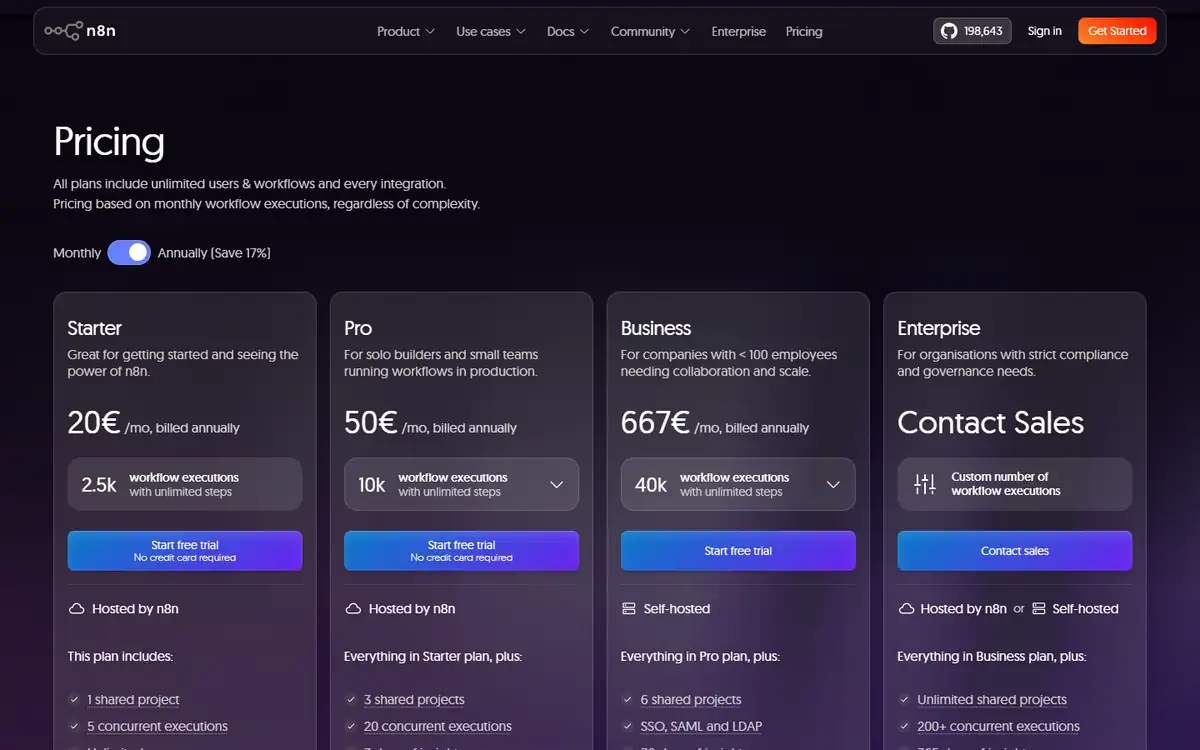
n8n Cloud starts at EUR 20 monthly billed annually for 2,500 executions with unlimited steps. Pro lists EUR 50 for 10,000 executions; Community Edition is self-hosted.
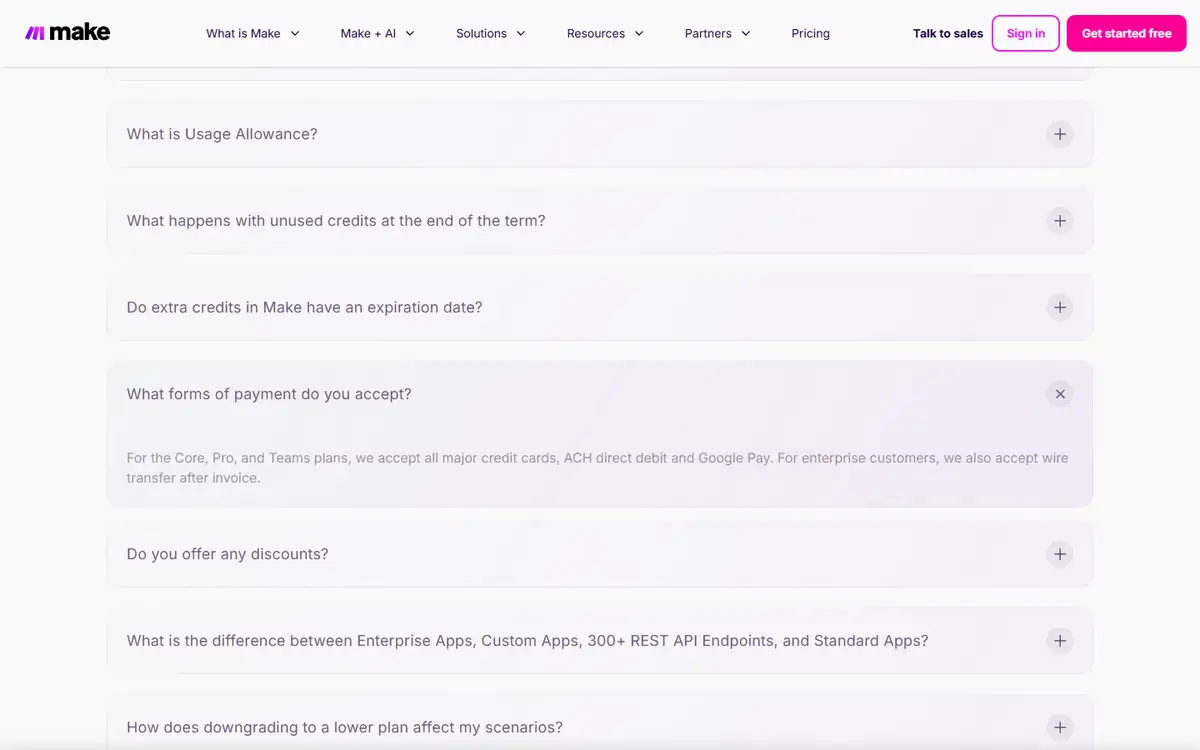
Make Free includes 1,000 credits and a 15-minute minimum interval. At 10,000 credits, Core is $9 monthly, Pro $16, and Teams $29 on the displayed monthly view.
| Buying question | n8n | Make | |
|---|---|---|---|
| Long workflow | Step count does not change the execution count | Most module actions consume credits | n8n usually wins |
| Free pilot | Cloud trial or self-host | 1,000 credits with no time limit | Make is easy for a light scenario |
| History and support | Vary by n8n plan | Logs, search, teams, and priority vary by Make plan | Price incident response |
| Unused allowance | Plan execution rules apply | Credits expire at term end | Do not overbuy peak volume |
Use exported execution logs to estimate actual p50 and p95 consumption before choosing a tier.
n8n vs Make privacy and data handling
Lead workflows combine personal data, enrichment, consent, CRM secrets, and model prompts. Each connector widens the data path.
Self-hosting changes control but not obligations. The workflow still sends data to every configured model, enrichment, and CRM endpoint.
- Minimize fields before AI or enrichment calls.
- Separate credentials by environment and rotate them.
- Test deletion and export with non-sensitive material before adding customer data.
- Save the policy version and plan name used for the decision.
Map every subprocess, retention period, and deletion path before routing real leads.
Recheck the official n8n page and the official Make page before uploading confidential material or paying. Product limits and policy language can change after this test date.
Switching between n8n and Make
n8n and Make can export workflow definitions, but connector semantics, credentials, data stores, error behavior, and custom code do not migrate cleanly.
Keep schemas, business rules, and test fixtures outside the canvas. They are the specification for rebuilding elsewhere.
- Export workflow versions regularly.
- Store sample events and expected outputs.
- Document connector-specific field mappings.
- Keep an external inventory of secrets and owners.
A passing regression suite makes migration possible; a screenshot of the canvas does not.
Who should use n8n or Make?
n8n is best for
- Technical automation teams
- Complex AI workflows with many steps
- Organizations requiring self-hosting or custom APIs
Make is best for
- Marketing and operations teams
- Standard SaaS integration workflows
- Users prioritizing visual maintainability
Who should use neither tool
- Teams without an owner for failures, credentials, and data quality.
- Processes that should remain a simple database transaction or small script.
- Teams that cannot keep a human approval step before a high-impact action or publication.
Choose n8n for engineering control and Make for operator control.
n8n vs Make: final buying decision
For this 20-step lead router, I would use n8n because safety and enrichment steps do not each add a platform credit.
For a three-step campaign sync maintained by marketers, I would use Make and value the shorter training path.
- Pick n8n for long, technical, stateful flows.
- Pick Make for short, app-centric operator flows.
- Model failure paths and fan-out.
- Use idempotency before any paid or irreversible step.
n8n wins the AI lead-routing test; Make remains the better choice when visual ownership by business operators is the dominant requirement.
For more hands-on comparisons, visit the AI tool comparisons hub.
n8n vs Make FAQ
Is n8n cheaper than Make?
Often for long workflows because n8n bills full executions while Make generally bills module actions. Short workflows can favor Make's lower entry price.
Can n8n be self-hosted for free?
Community Edition can be self-hosted, but servers, upgrades, backups, monitoring, and support still cost time and money.
Which is easier for nontechnical users?
Make usually has the easier app-first visual workflow for business operators.
Which is better for AI agents?
n8n offers deeper code and orchestration control; Make offers strong built-in AI tools and a large integration catalog.
Next step
Build the same sandbox workflow, then replay duplicate webhooks, API timeouts, malformed AI output, and a failed CRM write. Compare safe recovery and p95 cost.